
![SaaS Website Architecture Guide [$10M+ ARR Best Practices]](/assets/thumbnail-saas-website-architecture-DnWAStN1.jpg)
The Complete SaaS Website Architecture Guide [$10M+ ARR Best Practices]
Last Updated: January 27, 2026

Tameem Rahman (AKA The SaaStronaut)
Managing Partner @ TalktheTalk | Helping 7-9 figure tech brands meet buyers in AI search and make SEO profitable. Toronto-based, 200+ happy clients in the last 5 years, 15 employees.
Your SaaS website isn't a brochure. Stop treating it like one.
Most SaaS sites are built backwards. Design first, copy as an afterthought, zero strategy for how pages connect. The result? A pretty site that doesn't rank and doesn't convert.
This guide gives you the complete blueprint. Here's what you'll learn:
- The exact pages your SaaS website needs—from homepage to footer, every page type that drives traffic and conversions
- How to connect them strategically—internal linking architecture that passes authority and guides visitors through their buying journey
- Why each page matters for SEO—keyword targeting, content structure, and conversion optimization for every page type
Ready? Let's go.
The $10M–$100M ARR SaaS Website Architecture
Click to jump to sections • Active section highlights as you scrollSwipe to explore • Tap to jump to sections
1) Homepage
You are here in the architecture
↑ Click to view full architecture diagram
Let's start with the page everyone obsesses over but few get right.
Your homepage has one job: make visitors understand what you do, who you help, and why they should care—in seconds. The average difference in how users treat content above vs. below the fold is 84%. You have precious little real estate. Don't waste it.
The Value Proposition Test
Here's a simple test: Can you swap your competitor's name into your headline and have it still make sense?
If yes, your value proposition is too generic.
"The all-in-one platform for modern teams"
This could be literally any SaaS product. It says nothing. It converts no one.
Better approach: [Pain point question] + [Outcome promise] + [Differentiator]
"Are your enterprise leads going cold? Close deals 40% faster with the only CRM built for 6-month sales cycles."
This tells me exactly who it's for, what problem it solves, and why it's different.
The Dual CTA Strategy
Most homepages have one CTA: Book a demo. Problem is, not everyone landing on your homepage is ready to book a demo.
Some are just starting to research. Some stumbled across you from a blog post. Some are comparing options. If "Book a Demo" is their only option, they'll leave. You'll never see them again.
Primary CTA
Demo/Trial (for bottom-funnel visitors ready to buy)
Secondary CTA
Lead magnet (for mid-funnel visitors who need more info)
Capture both. Nurture the ones who aren't ready. This isn't complicated, but most SaaS sites ignore it completely.
Social Proof That Actually Works
Everyone knows to add logos and testimonials. Few do it well. Three elements that matter:
Recognizable customer logos
If you work with known brands, show them. If you don't, show quantity ("Trusted by 2,400+ companies").
Outcome-based testimonials
"Great product, love the team!" means nothing. "Reduced our onboarding time from 3 weeks to 4 days" means everything.
Trust badges
SOC 2 compliance, security certifications, industry awards. These matter more than most realize, especially for enterprise buyers.
Strategic Content Links
Here's where most homepages miss an SEO opportunity.
Homepage Linking Strategy
This serves visitors better AND passes link equity to your strongest content. Double win.
What $10M+ ARR homepages look like:
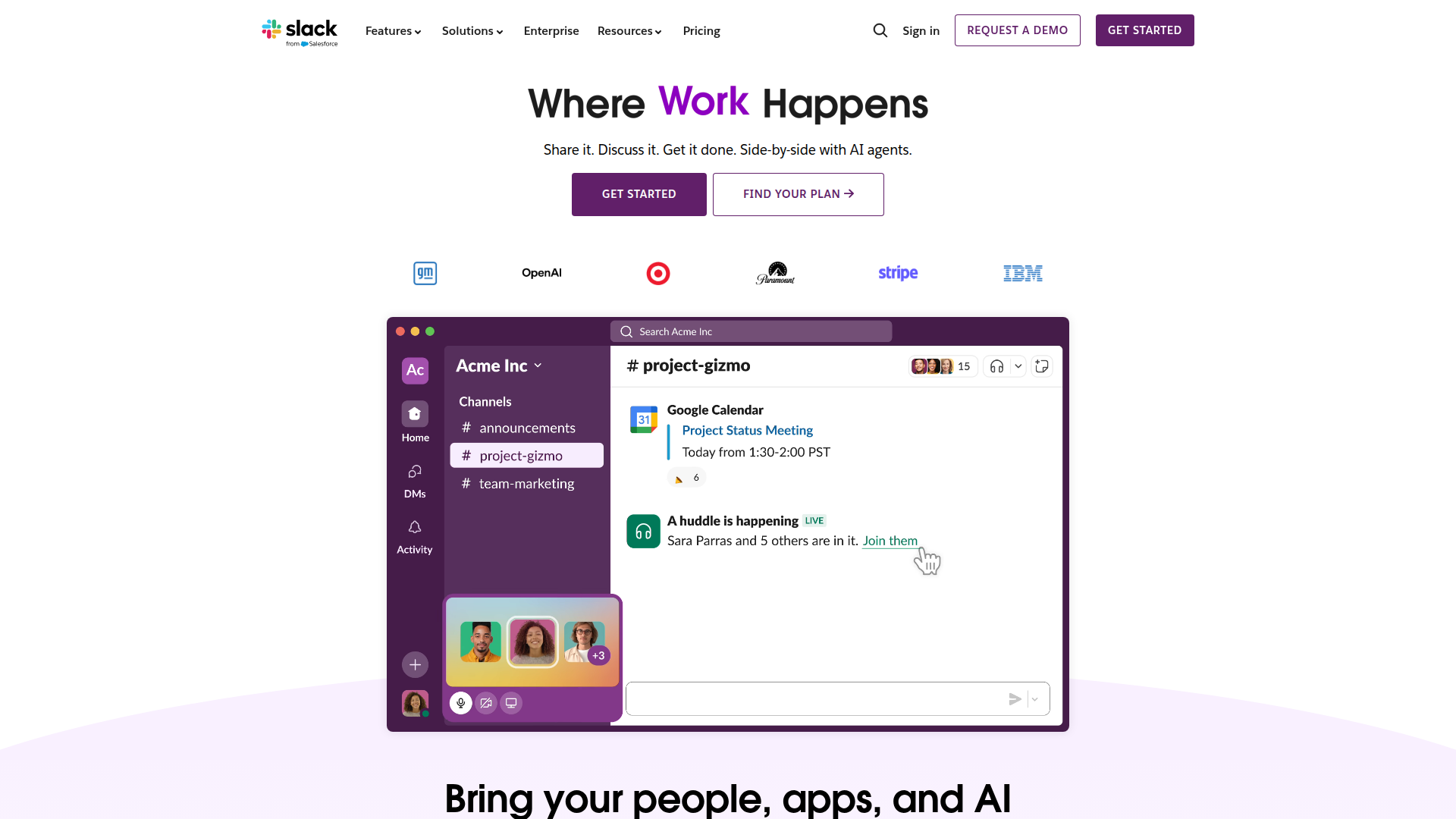
"Where Work Happens" — Three words that own an entire category. Dual CTAs (Get Started + Find Your Plan), enterprise logos above the fold, and a product screenshot showing real value.
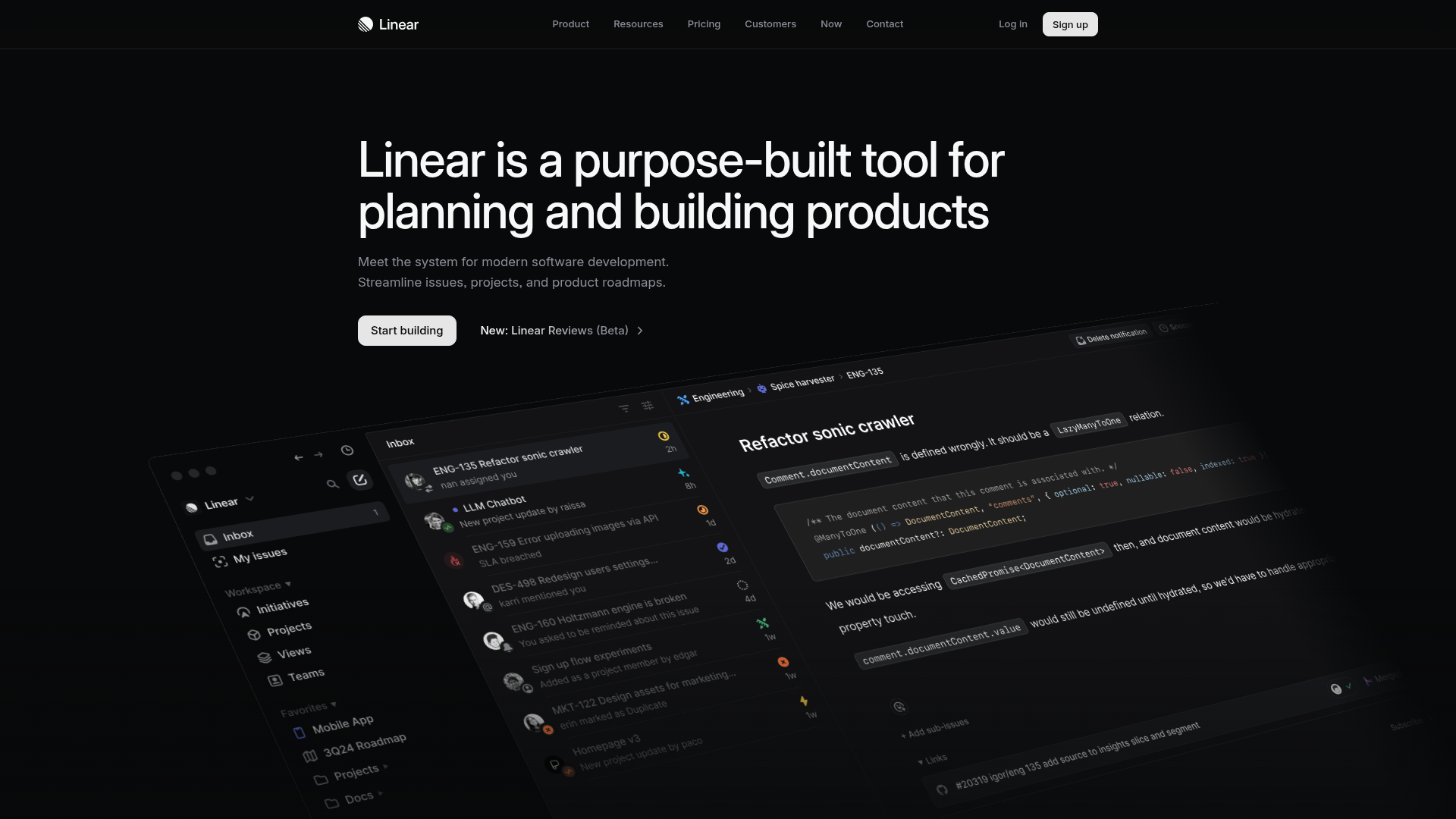
"Purpose-built tool for planning and building products" — Crystal clear positioning for product teams. Single CTA (Start building), dark aesthetic that matches developer taste, and immersive UI preview.
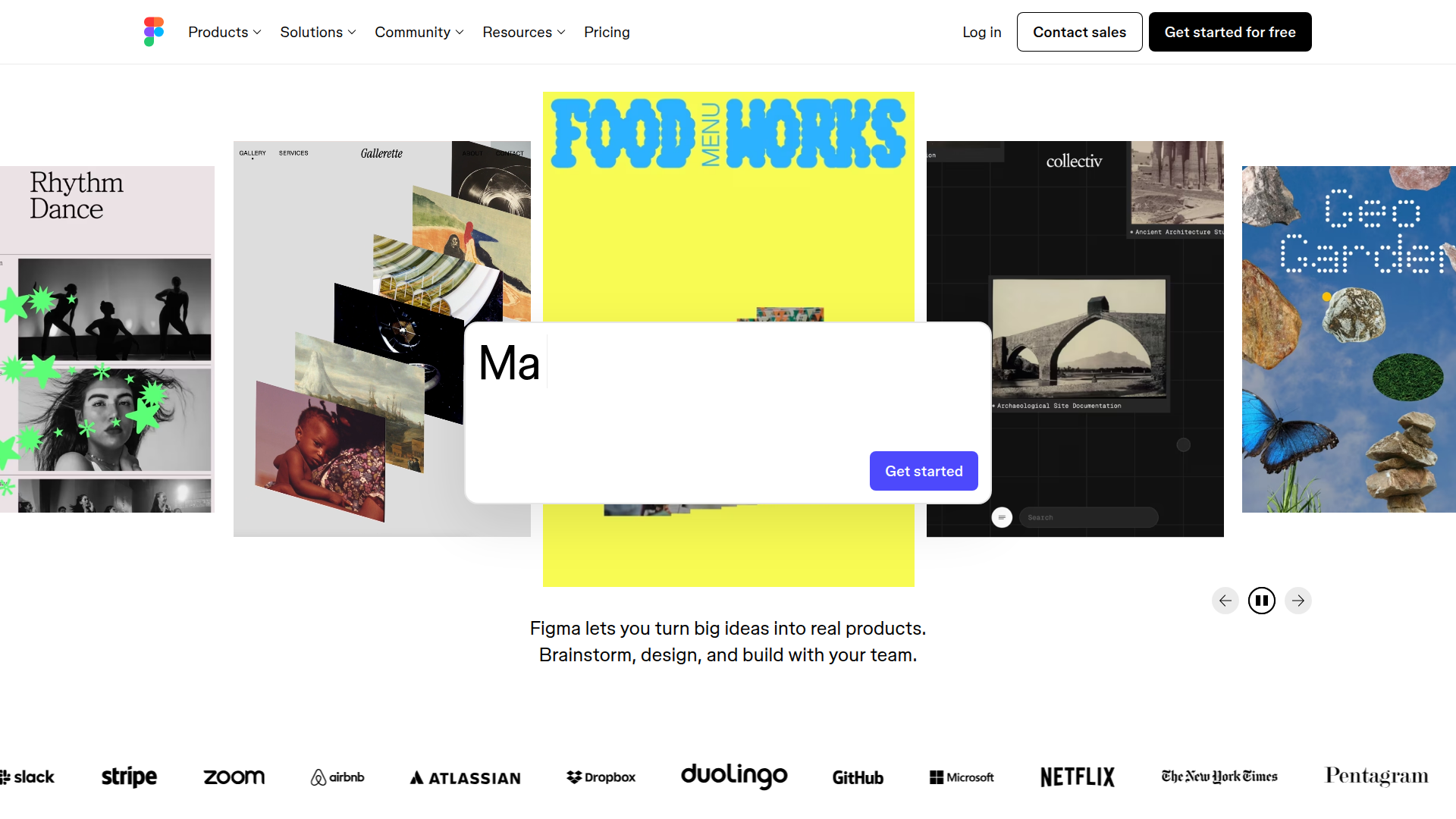
"Think bigger. Build faster." — Outcome-focused headline. Enterprise logo bar (Slack, Stripe, Airbnb, Netflix), animated showcase of real work, and prominent free CTA.
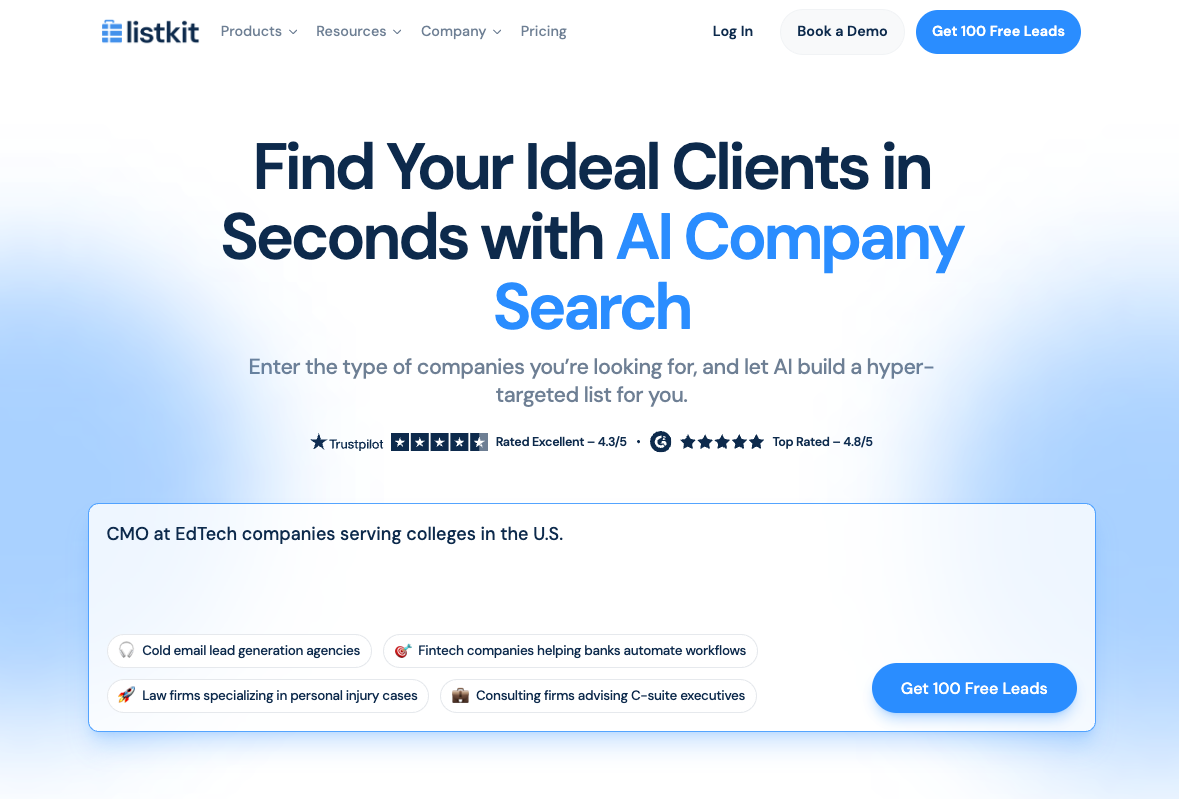
This is what "show, don't tell" looks like.
- ✗Every other sales intelligence tool: Makes you sign up, sit through onboarding, and fumble with filters before you see a single contact.
- ✓ListKit flips that entirely: There's a ChatGPT-style search box right on the homepage. Type something like "CMOs at EdTech startups in the U.S." and you'll get 100 contacts free.
No account. No credit card. No friction. You experience the product's value before you ever think about converting.
See ListKit's homepage- ✓Value proposition must be specific to your ideal customer—not swappable with competitors
- ✓Use dual CTAs to capture both ready-to-buy and still-researching visitors
- ✓Social proof needs outcomes, not generic praise
- ✓Link to best-performing content, not most recent
2) How It Works
You are here in the architecture
↑ Click to view full architecture diagram
This is where most SaaS companies leave money on the table. The "How It Works" section of your site should do more than explain your product—it should capture organic traffic from prospects actively looking for solutions.
This section breaks into three strategic page types: Feature Pages, Use Case Pages, and Integration Pages. Each serves a different purpose in your SEO strategy and buyer journey.
Navigation dropdown hub pointing to 3 page types
Feature Pages
"What specific things does it do?"
- Rank for long-tail keywords
- Backdoor entry strategy
- Cross-sell other features
Use Case Pages
"How do people actually use it?"
- Match outcome-focused searches
- Shorten the sales cycle
- Help prospects self-identify
Integration Pages
"What does it connect to?"
- Capture "works with" traffic
- Build trust transfer
- Crush objections pre-sale
A look at ActiveCampaign's ($250M ARR) site architecture following this theme
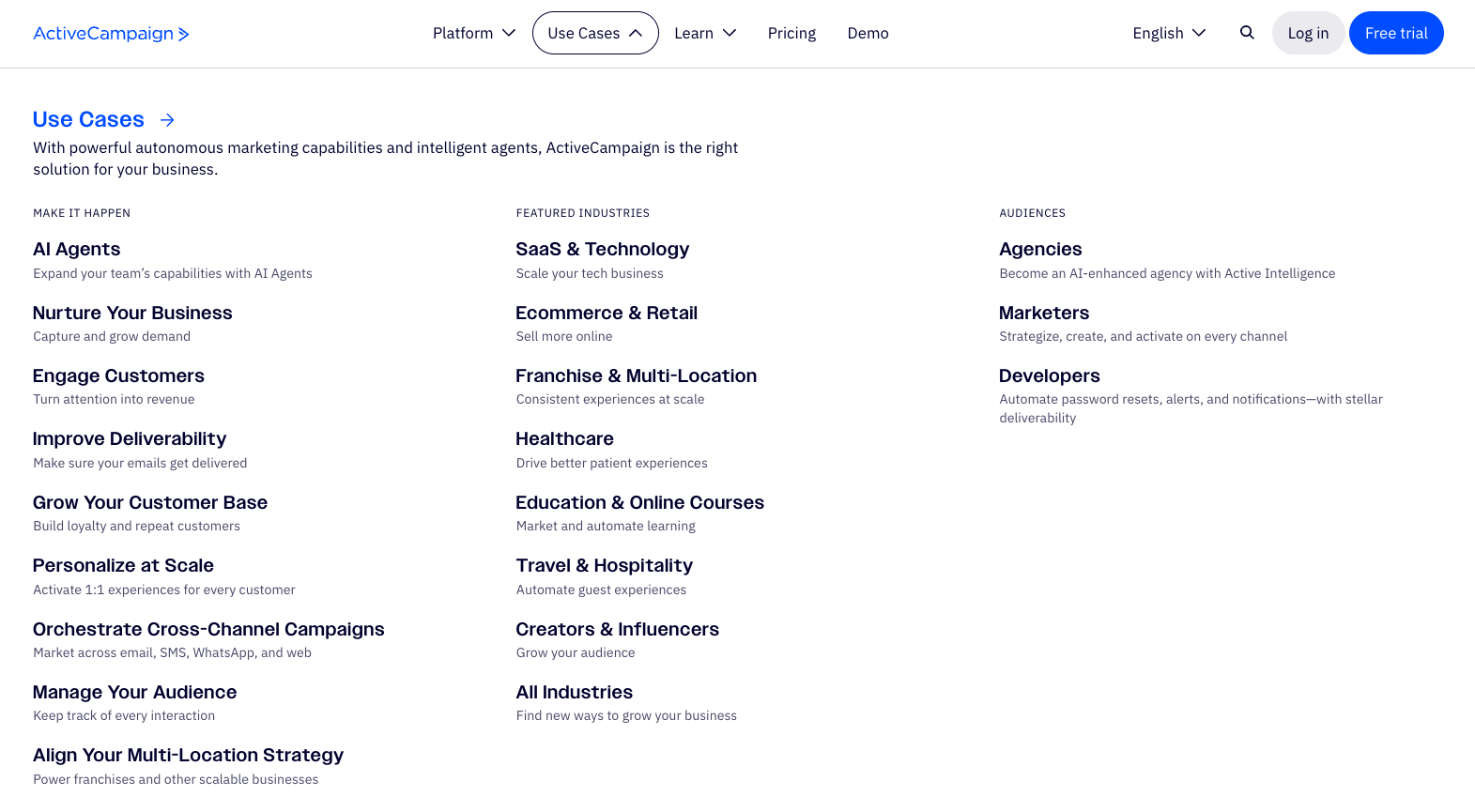
ActiveCampaign's "Use Cases" dropdown — Three columns, three search intents: use cases for "how do I…" queries, industries for vertical-specific searches, and audiences for role-based keywords. Each item is a dedicated landing page—not an anchor scroll—maximizing keyword coverage across the site.
Feature Pages: The Backdoor Strategy
Here's the typical approach: Create a generic "Features" page, list everything the product does with bullet points and screenshots, call it a day.
That's not a strategy. That's a brochure.
The smarter play: Individual feature pages centered around your most popular features, each targeting specific, low-competition, long-tail keywords.
The Backdoor Strategy
The Keyword Difficulty Play
High-volume keywords look attractive in your SEO tool. "Project management software" has massive search volume. It's also nearly impossible to rank for unless you're Monday.com or Asana.
But here's what those tools also show you: Long-tail, feature-specific keywords with lower difficulty that convert better anyway.
"Social media management tool"
KD 70+"Instagram hashtag generator"
KD 25"Email marketing software"
KD 80+"Email subject line A/B tester"
KD 18"Project management software"
KD 75+"Gantt chart maker for remote teams"
KD 22"CRM software"
KD 85+"Sales pipeline velocity calculator"
KD 15The person searching "Instagram hashtag generator" has a specific problem they're trying to solve right now. They're not browsing. They're looking for a solution. That's high-intent traffic your competitors are ignoring.
Once they land on your hashtag generator page and see it works, they start exploring. "Oh, they also have scheduling? And analytics? And a content calendar?" You've got them.
Feature Page Structure That Converts
Every feature page should follow this framework:
The 5-Step Feature Page Framework:
Use Case Pages: Show Your Product in Action
Feature pages tell prospects what your product does. Use case pages show them how people actually use it.
This is critical because buyers don't think in features—they think in outcomes. They're not searching for "automated workflow builder." They're searching for "how to automate client onboarding" or "reduce manual data entry."
Why Use Cases Matter for SEO
They match how people actually search
Prospects google problems, not product categories. "How to manage remote team communication" beats "team communication software."
They advance the buyer journey
Someone on a use case page is already imagining themselves using your product. They're past "what does it do?" and into "would this work for me?"
They shorten sales cycles
When a prospect sees exactly how your product solves their specific workflow, they arrive at the demo call pre-sold. Less convincing, faster close.
Use Case Page Structure
Essential Elements:
- •Problem headline — Lead with the pain, not the product
- •Before/After scenario — Paint the picture of life without vs. with your solution
- •Step-by-step walkthrough — Show exactly how it works for this use case
- •Results/metrics — "Teams save 10 hours/week on client reporting"
- •Social proof from this use case — Testimonials from users who solved this exact problem
- •CTA specific to the use case — "See how [Company] automates client onboarding"
Pro Tip
Integration Pages: Capture "Works With" Traffic
Integration pages are the most underrated SEO opportunity in SaaS. Every integration you have is a keyword opportunity.
Why? Because your prospects are already using other tools. They're searching for how those tools connect. "Slack Salesforce integration," "Zapier alternatives for [workflow]," "connect HubSpot to [your category]."
Why Integration Pages Work
Built-in trust transfer
When someone sees you integrate with tools they already trust (Salesforce, Slack, HubSpot), your credibility increases automatically.
High-intent traffic
Someone searching "[Your tool] + Slack integration" is already considering buying. They're checking if you fit their stack.
Objection crusher
"Will this work with my existing tools?" is a top buying objection. Integration pages answer it before they even ask.
Integration Page Must-Haves:
- • Partner logo prominently displayed (with permission)
- • Specific use cases for the integration ("Sync Salesforce contacts to [Your Tool] automatically")
- • Setup walkthrough or video
- • Link to your integrations directory/marketplace
- • CTA: "Connect [Tool] in 2 minutes"
The Internal Linking Architecture
Here's where SEO magic happens. Feature pages, use case pages, and integration pages shouldn't exist in isolation—they should link to each other.
Internal Linking Framework
Real Example: Social Media SaaS
Every feature page should link out to 4-6 related pages — this builds topical clusters that search engines reward with better rankings.
This creates topical clusters. Search engines see these relationships and reward you with better rankings across the entire cluster. Every link serves a purpose. Every connection strengthens your topical authority. For more on how to build these links strategically, see our link building guide.
- ✓Feature pages are your backdoor—rank for specific features, then introduce the full product
- ✓Target low-competition, long-tail keywords that convert better than broad terms
- ✓Use case pages show your product in action and match how buyers actually search
- ✓Integration pages capture high-intent traffic from prospects checking stack compatibility
- ✓Link all three page types together to build topical clusters and authority
3) Who It's For
You are here in the architecture
↑ Click to view full architecture diagram
Here's a truth most SaaS marketers ignore: Your product solves the same core problem for different industries, but how you talk about it should be completely different.
A CRM for healthcare providers has different compliance concerns than a CRM for e-commerce companies. A project management tool for agencies has different workflows than one for engineering teams.
Same product. Different positioning. Different pages.
Why Industry Pages Matter for SEO
Lower competition keywords
"CRM software" is brutal. "CRM for healthcare providers" has real search volume with a fraction of the difficulty.
Unique content opportunity
Even if your core product is identical, the content is genuinely different. Different pain points, different use cases, different testimonials.
Better conversion rates
When a healthcare administrator lands on a page that speaks to HIPAA, patient management, and appointment scheduling—they convert at higher rates.
Industry Page Structure
Industry Page Essentials
- Industry-specific headline (not generic)
- Pain points unique to that vertical
- How your features solve their specific problems
- Industry-specific social proof and logos
- Industry-specific CTA
Persona Page Essentials
- Role-specific headline
- What they care about (daily pains)
- Features that matter to their role
- Testimonials from similar job titles
- CTA matching their decision-making authority
Industry vs. Persona: Both Matter
Industry pages target verticals. Persona pages target roles. Why both? Because B2B purchases involve multiple stakeholders.
The Operations Manager cares about workflow efficiency. The CFO cares about ROI. The IT Director cares about security. Create pages that speak to each.
Industry Pages
- Agencies
- SaaS Companies
- Construction
- Healthcare
Persona Pages
- Project Managers
- Operations Directors
- Team Leads
- C-Suite Decision Makers
Case in point: TxtCart's industry pages
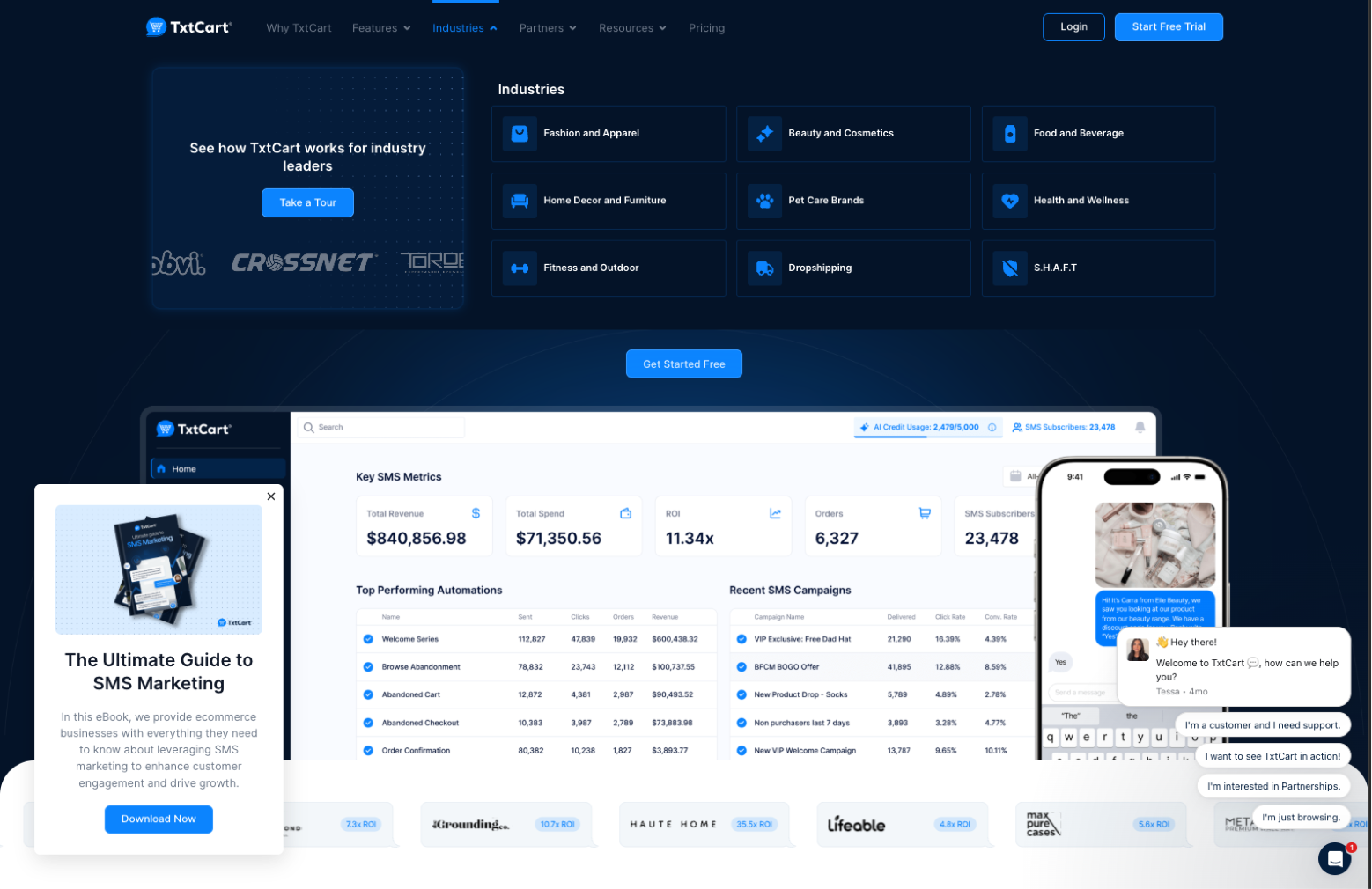
TxtCart's "Industries" dropdown — Each vertical (Fashion, Beauty, Pet Care, etc.) gets a dedicated landing page with industry-specific messaging, testimonials, and use cases. Not just different headlines—entirely different narratives that speak to each industry's unique pain points.
The Content Ecosystem Play
Industry Page Internal Linking
You're creating a content ecosystem that captures traffic at multiple points and funnels it toward conversion. This is how you build sustainable organic growth.
- ✓Same product, different positioning—speak directly to each vertical's world
- ✓Lower competition + higher relevance = better rankings AND conversion rates
- ✓Create both industry pages (verticals) and persona pages (roles)
- ✓Build content ecosystems that link industry pages to use cases, resources, and blogs
4) Pricing
You are here in the architecture
↑ Click to view full architecture diagram
I've seen so many SaaS companies hide their pricing "to not scare people off."
Here's what actually happens: Prospects who can't figure out if they can afford you just leave and buy from a competitor who shows their pricing.
Real Talk
Pricing Page Essentials
Structure & Content
- Three-tier structure (Good/Better/Best)
- Always include an Enterprise tier (even if just 'Contact Us')
- Feature comparison table
- FAQ section for objection handling
- Competitor pricing comparison (if competitive)
Why Enterprise Tier Matters
- Some buyers can't take a $99/mo invoice to their boss
- Signals you can handle serious business
- Not having it = you're not ready for them
- 'Contact Us' is fine—just show you're enterprise-capable
The SEO Angle
Pricing pages rank for high-intent searches:
- "[Product category] pricing"
- "[Competitor] pricing"
- "[Competitor] vs [Your product] pricing"
These searchers are deep in the buying process. They're comparing options. If your pricing page is well-optimized, you capture this traffic. If it doesn't exist or is hidden, you lose it.
Pricing pages that convert (and rank):
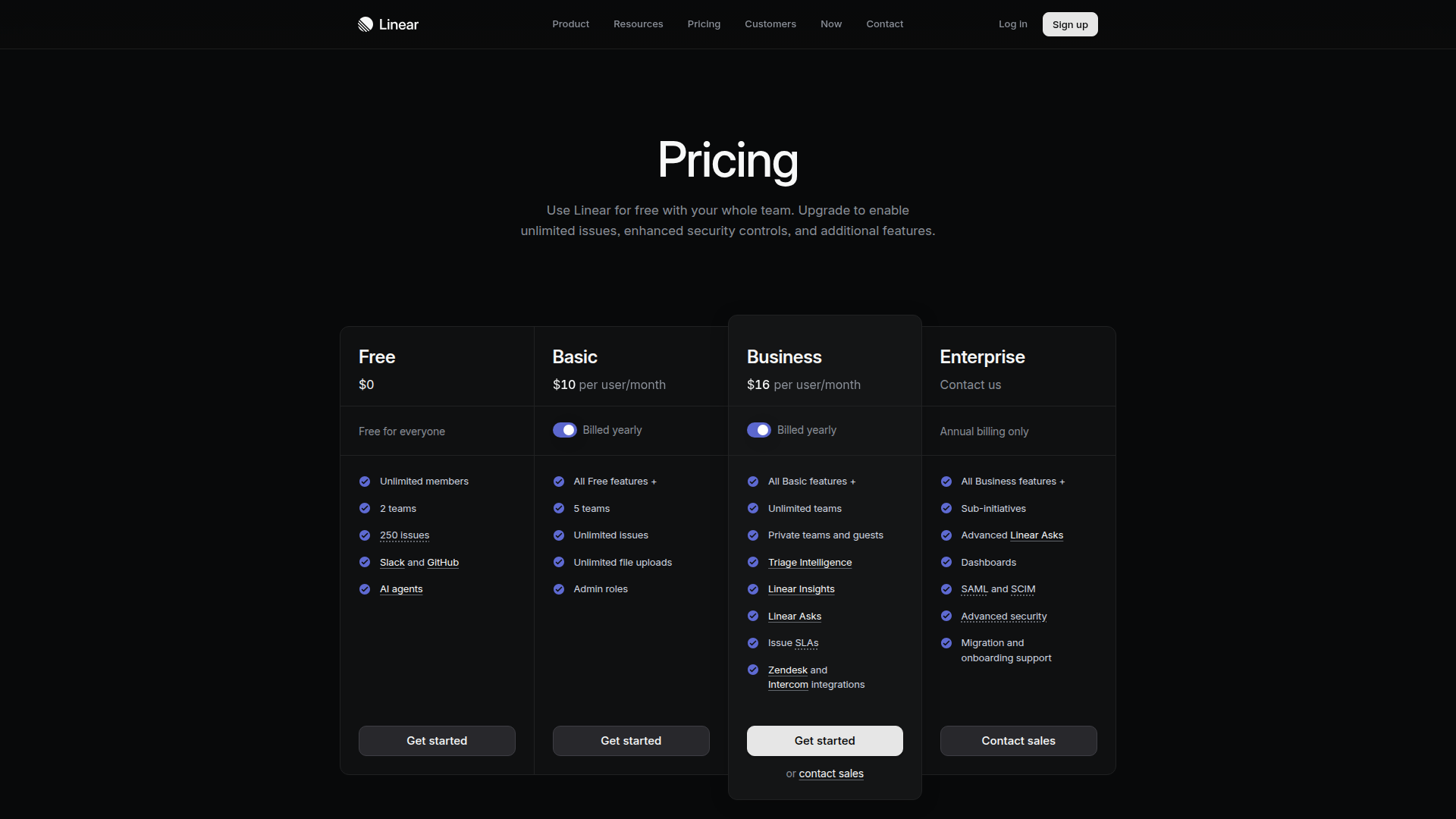
Perfect tier structure: Free → Basic → Business → Enterprise. Visual hierarchy highlights the recommended plan. Enterprise tier shows "Contact us" (they're ready for big buyers). Feature comparison is scannable.
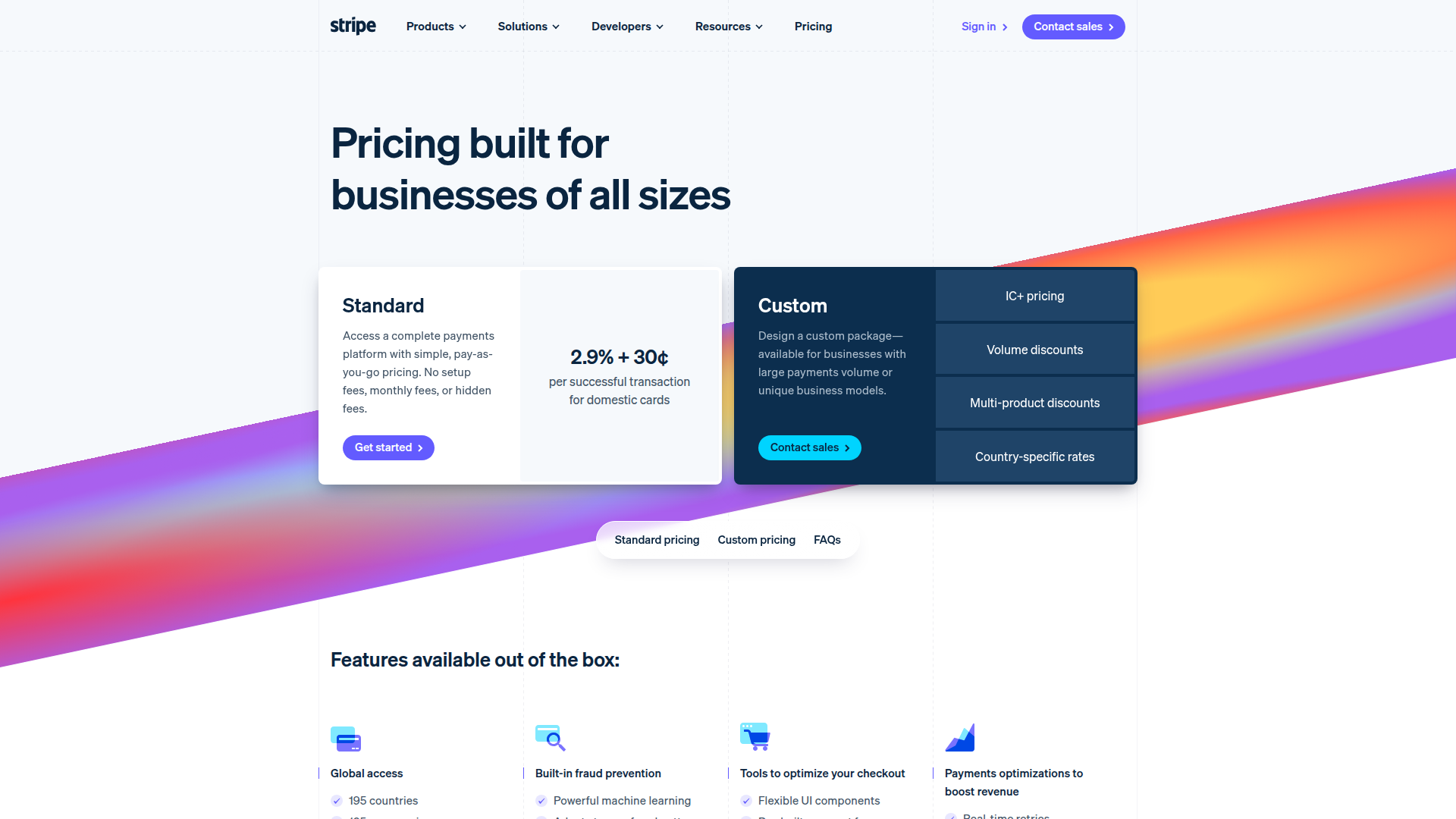
"Pricing built for businesses of all sizes" — Transparent per-transaction pricing up front. Custom tier for enterprise with volume discounts. FAQ section below handles objections. The page ranks for "[payment processor] pricing."
5) Why Us
You are here in the architecture
↑ Click to view full architecture diagram
Most SaaS websites treat "About Us" as an afterthought. Generic mission statement, stock photos of a diverse team, maybe a timeline of funding rounds.
This is a missed opportunity.
Why These Pages Matter
Differentiation
Your story is the one thing that's genuinely unique. Competitors can copy features—they can't copy your journey.
Brand Searches
As you grow, people will search "[your company] story" or "who founded [company]." Give them something to find.
Link Opportunities
Origin stories get picked up by podcasts, industry publications, and blogs. They're natural link bait.
Trust Building
B2B buyers are entering a long-term relationship. They want to know who's behind it.
Why Us Page Structure
- What makes your approach different (philosophy, not features)
- Your track record (customers, years, outcomes)
- Team credibility (experience, expertise)
- External validation (awards, press, recognition)
Origin Story Structure
- The problem that inspired the product
- The founder's journey (how did you get here?)
- Key milestones (growth, pivots, breakthroughs)
- The mission going forward
Case in point: Topanga's "Why Us" page
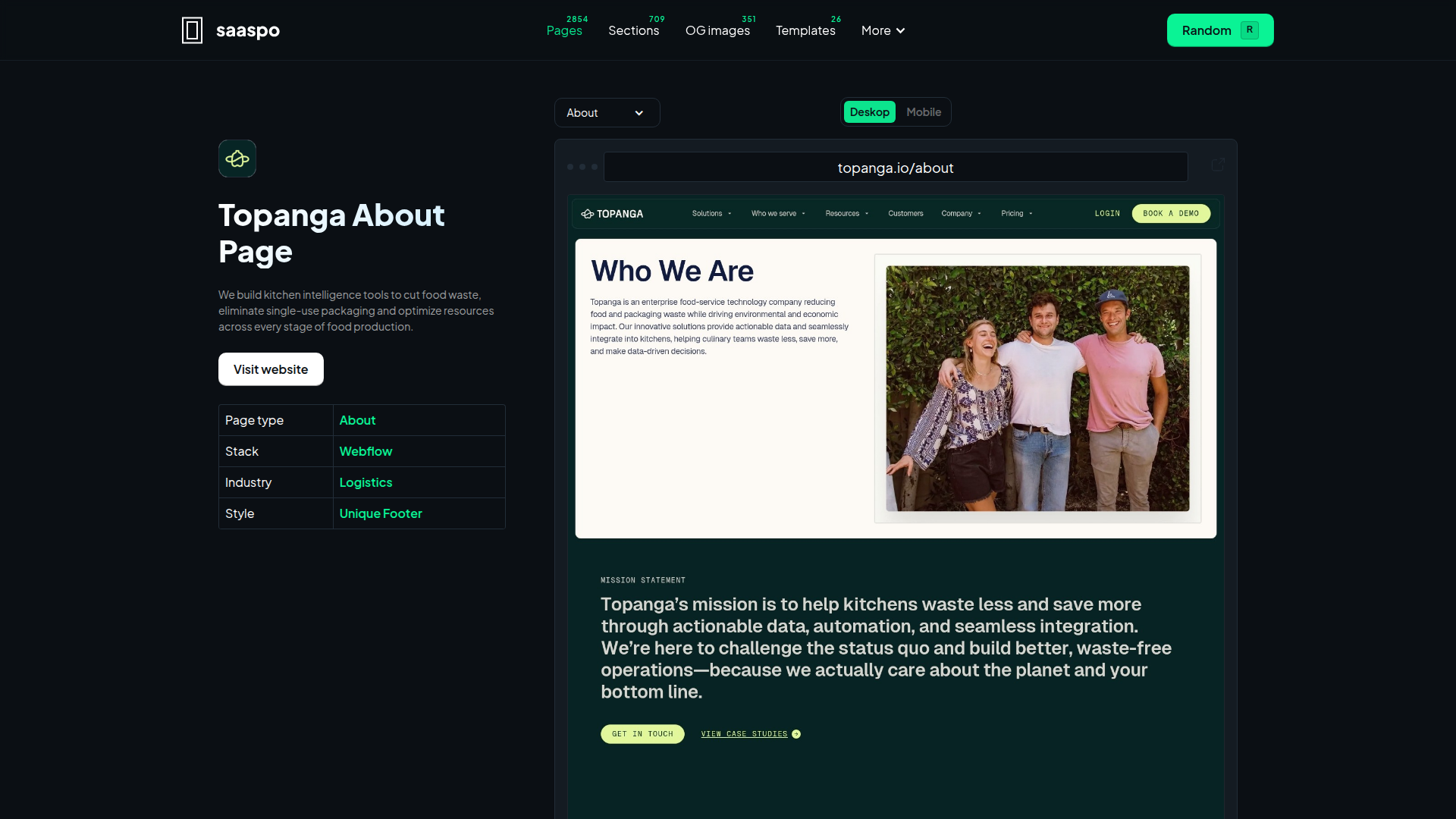
Topanga's about page — Hits all the marks: mission statement front and center, three value pillars (Innovation, Commitment, Integrity), origin story with a timeline, and a team section with real faces. Click to expand, or view full breakdown on SaaSpo.
This humanizes your brand. It builds connection. And in a market where every SaaS website looks the same, connection is a competitive advantage.
6) Blog
You are here in the architecture
↑ Click to view full architecture diagram
Quick reality check: Your blog shouldn't be a dumping ground for whatever content you felt like creating that week.
It should be a strategic asset organized into topical clusters that build authority and drive conversions.
The Most Common Blog Mistake
Stop Doing This
Better approach: Feature your highest-performing posts. The ones that actually drive demos, signups, or engagement. Let your winners keep winning.
Blog Structure That Ranks
Organize your blog into topical clusters. Each cluster has:
Topical Cluster Structure
"The Complete Guide to Sales Pipeline Management"
Supporting Posts (link to and from pillar):
- "How to Define Pipeline Stages That Actually Make Sense"
- "5 Signs Your Sales Pipeline is Leaking Revenue"
- "Pipeline Velocity: What It Is and Why It Matters"
- "How to Forecast Revenue Using Your Pipeline Data"
This creates semantic relationships that search engines reward with better rankings across the entire cluster.
Blog Post Optimization Checklist
- Minimal header/navigation (reduce distraction)
- "Last updated" date (signals freshness)
- Jump links in the sidebar for long posts
- Internal links to product pages, use cases, and resources throughout
- "What to do next" CTA at the end
- Related posts to keep readers engaged
Your blog isn't a standalone content channel. It's part of your conversion architecture. For the technical foundation that makes your blog crawlable and indexable, check out our SaaS Technical SEO guide.
How top SaaS blogs organize content for SEO:
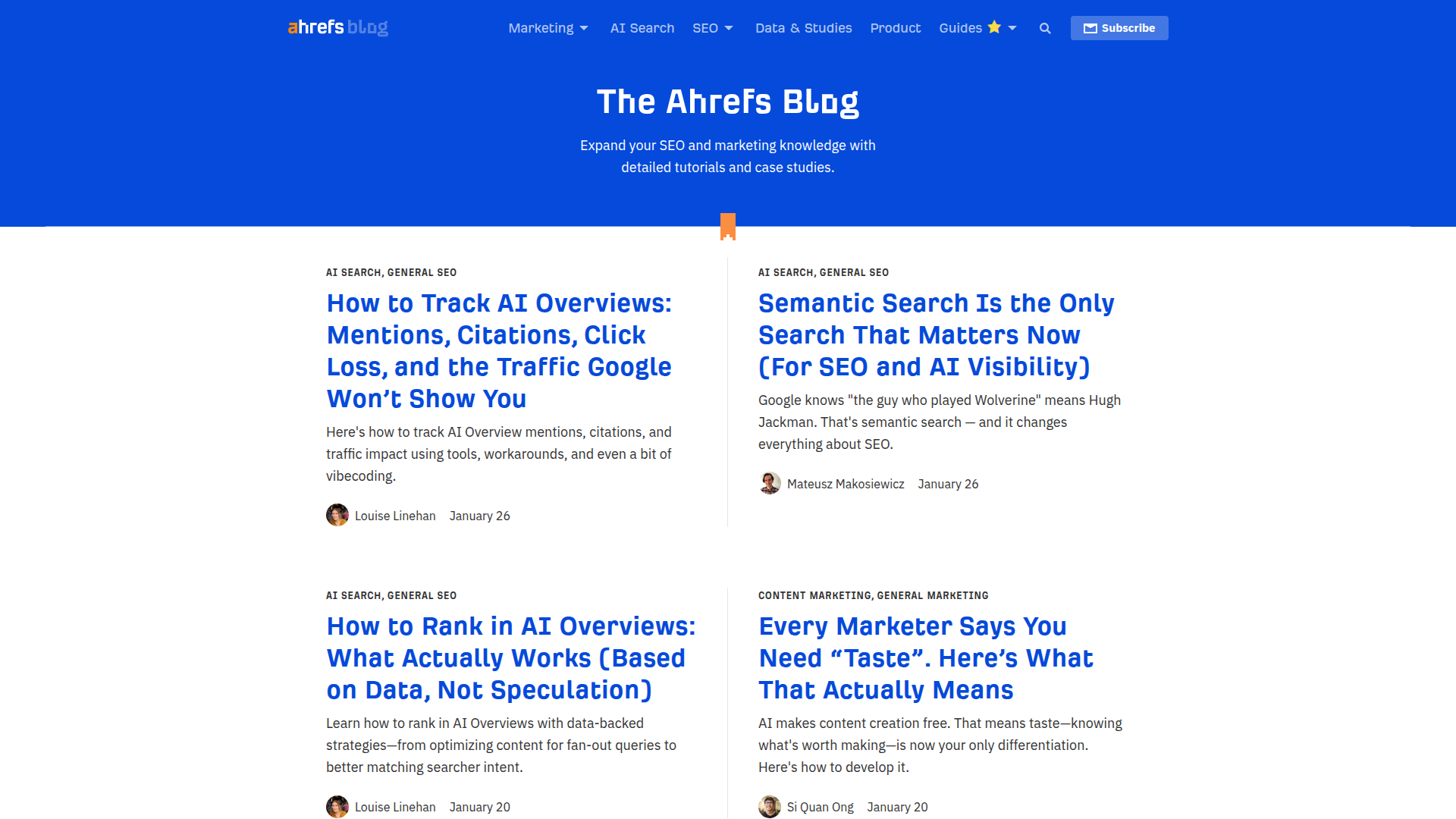
Category-based navigation: Marketing, AI Search, SEO, Data & Studies, Product, Guides. Not "most recent"—topical clusters. Each category is a pillar page target. Posts show author + date for E-E-A-T. The design is minimal—content is the hero.
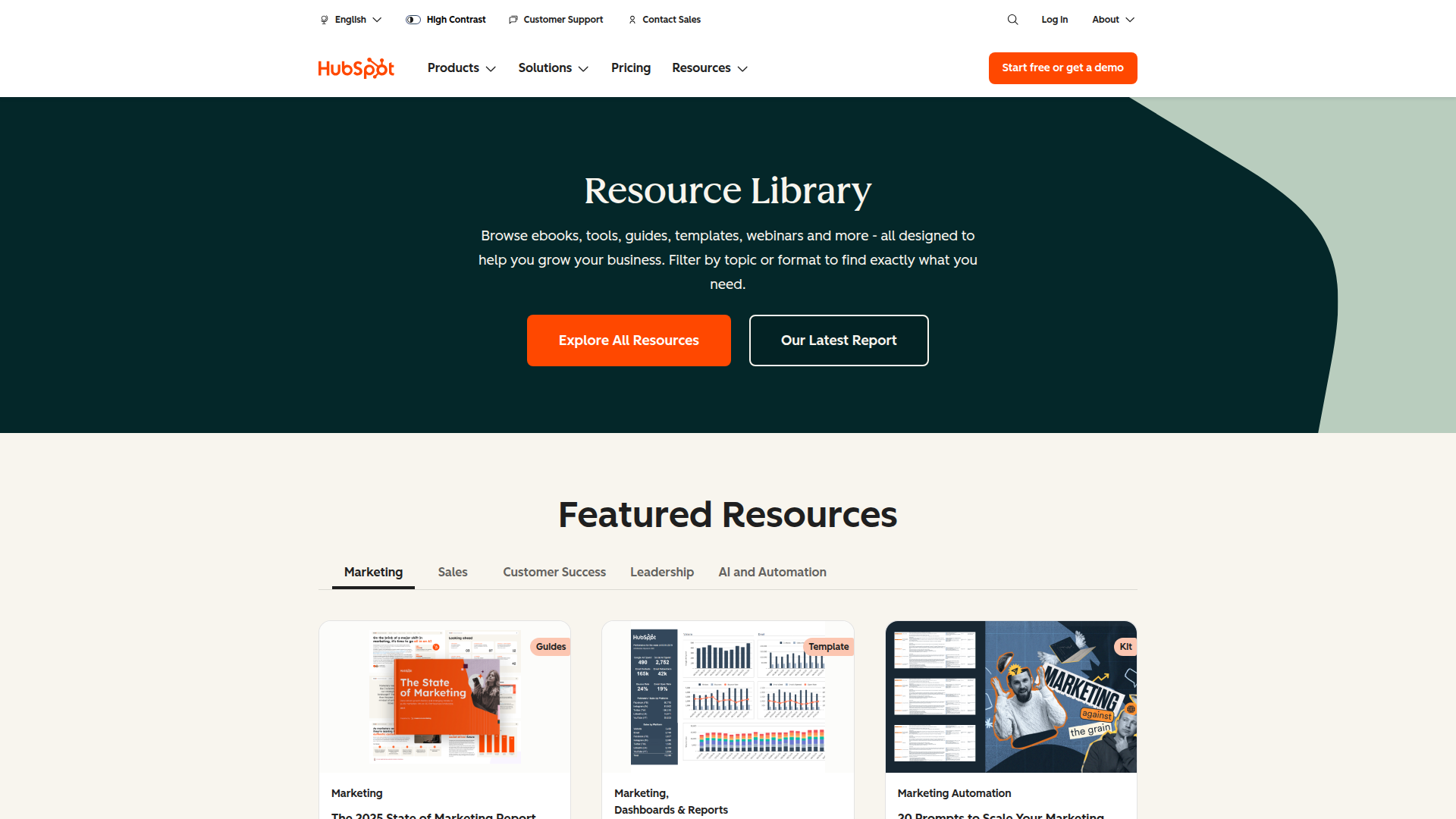
Resources mega-hub: Blog, Ebooks, Guides, Templates, Courses, all organized by topic (Marketing, Sales, Service, Website). Featured content at top drives traffic to highest-converting pieces. Each resource type has dedicated landing pages that rank for specific intents.
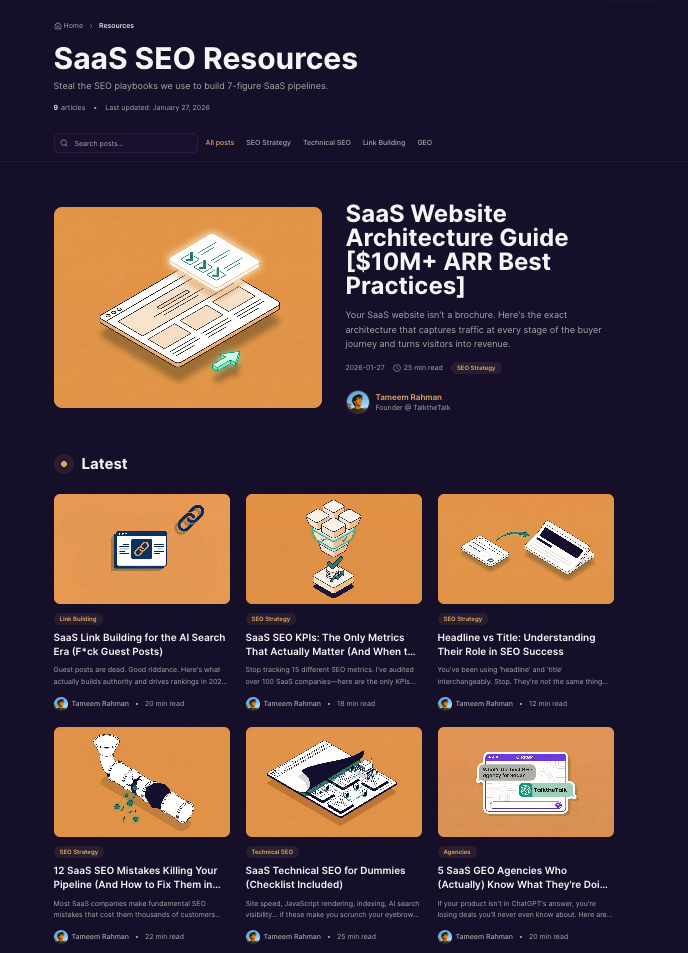
Here's what we practice:
- Category navigation — SEO Strategy, Technical SEO, Link Building, GEO. Organized by topic cluster, not publish date.
- Featured post hero — Our highest-value content gets prime real estate. Buffer-style two-column layout.
- Author + photo on every post — E-E-A-T signals. Real founder photo, not stock images. Links to About page.
- "Last updated" dates — Shows freshness. Search engines and readers both love current content.
- Sticky Table of Contents — Every long post has jump links. Reduces bounce, increases time on page.
- Contextual internal CTAs — Not generic "try our product." Links to specific resources (like this guide linking to our Technical SEO post).
7) Resources
You are here in the architecture
↑ Click to view full architecture diagram
Here's where I see the biggest gap in most SaaS websites.
Resources aren't just "content." They're strategic assets that capture traffic and nurture leads at specific stages of the buying journey. But most companies just throw random ebooks and webinars together without any strategy.
Let me break down what resources you need for each stage and why.
Problem Unaware
These people don't know they have a problem yet. Your job is to help them recognize it.
| Resource Type | Purpose | Example |
|---|---|---|
| Webinars / Academy | Educate on industry trends | "The Hidden Cost of Manual Data Entry in 2025" |
| Ultimate Guides | Comprehensive education | "The Complete Guide to Sales Pipeline Management" |
| Industry Reports | Establish authority | "State of B2B Sales Efficiency Report" |
| Thought Leadership Blogs | Build trust before they're ready | "5 Trends Reshaping B2B Marketing in 2026" |
How the best SaaS brands educate before they sell:
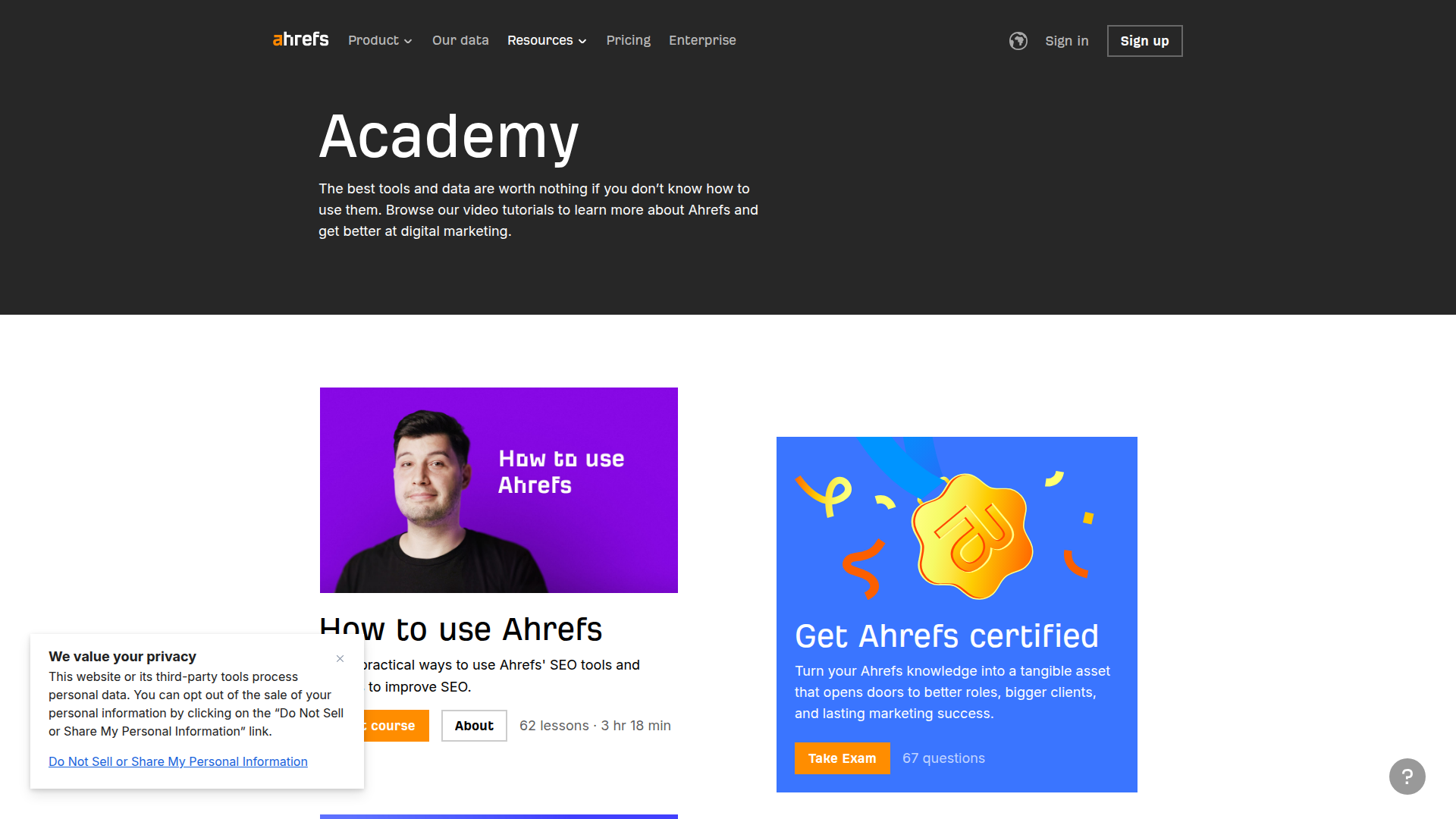
Free SEO courses: Teaches entire concepts before pitching product. Captures beginners who don't know they need SEO tools yet.
Explore Ahrefs Academy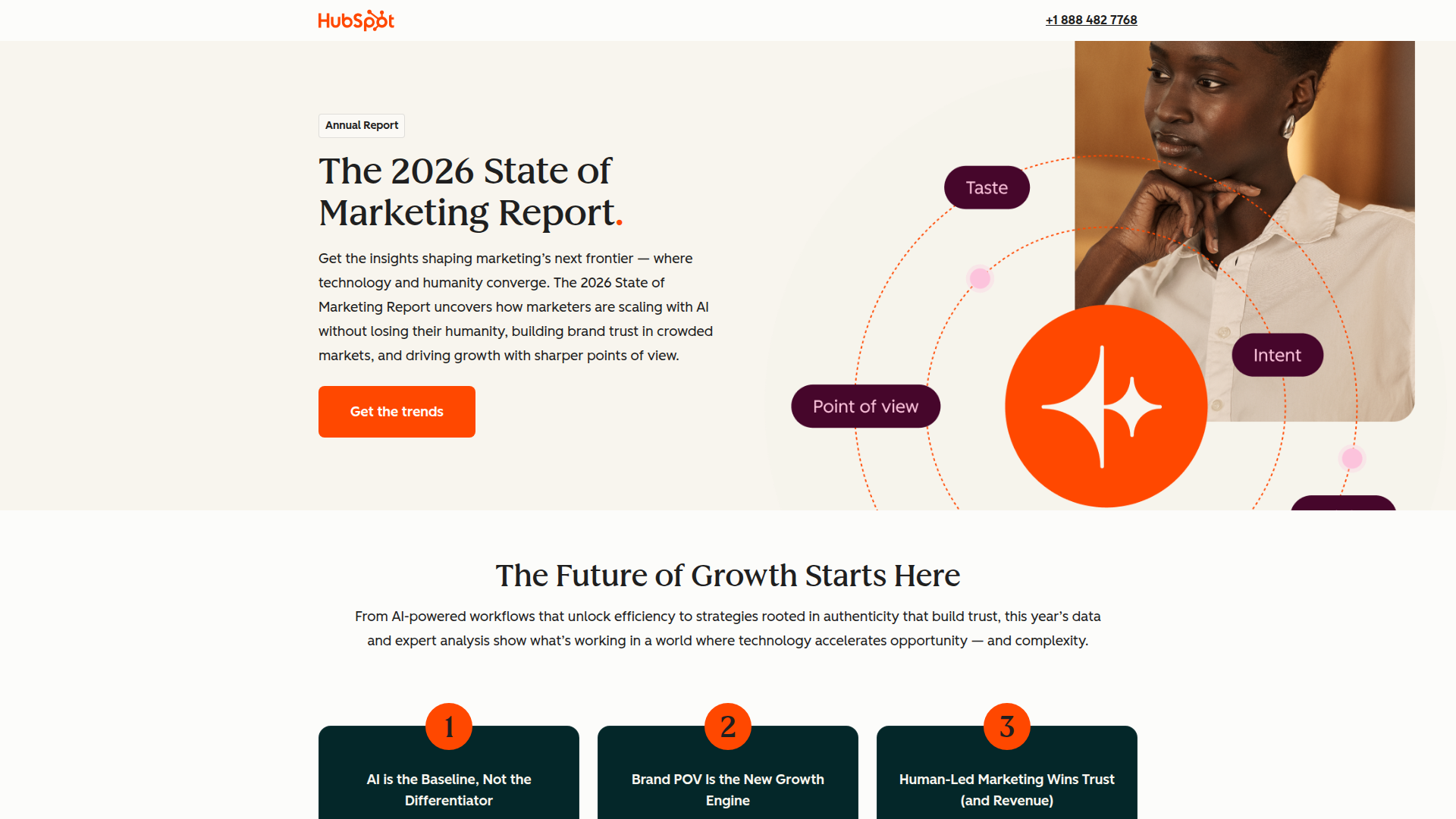
Annual benchmark report: Establishes authority with original research. Readers discover problems they didn't know they had.
View State of Marketing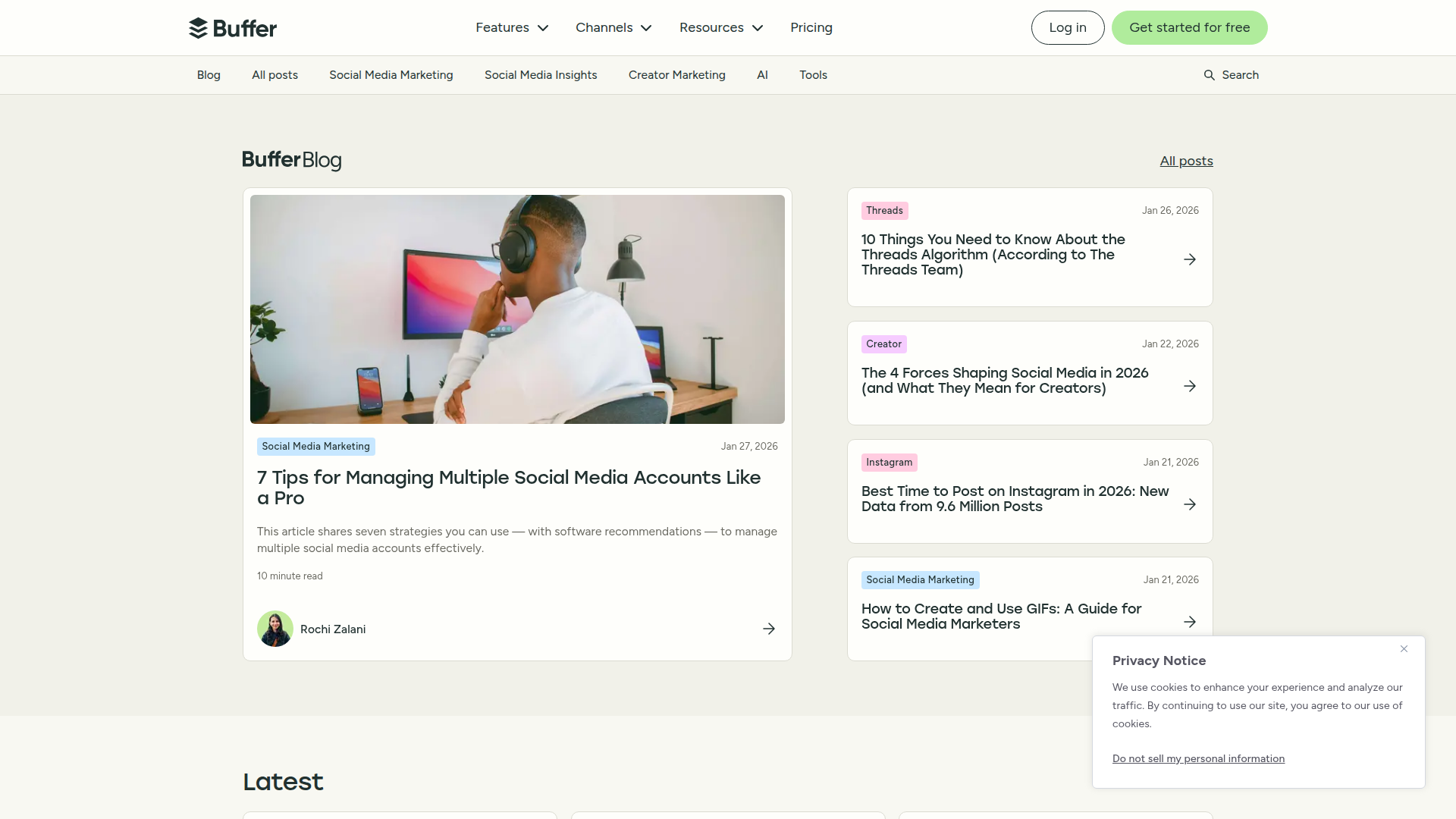
Trend-focused content: Educates on algorithm changes and platform shifts. Readers realize they need better tools.
Explore Buffer Blog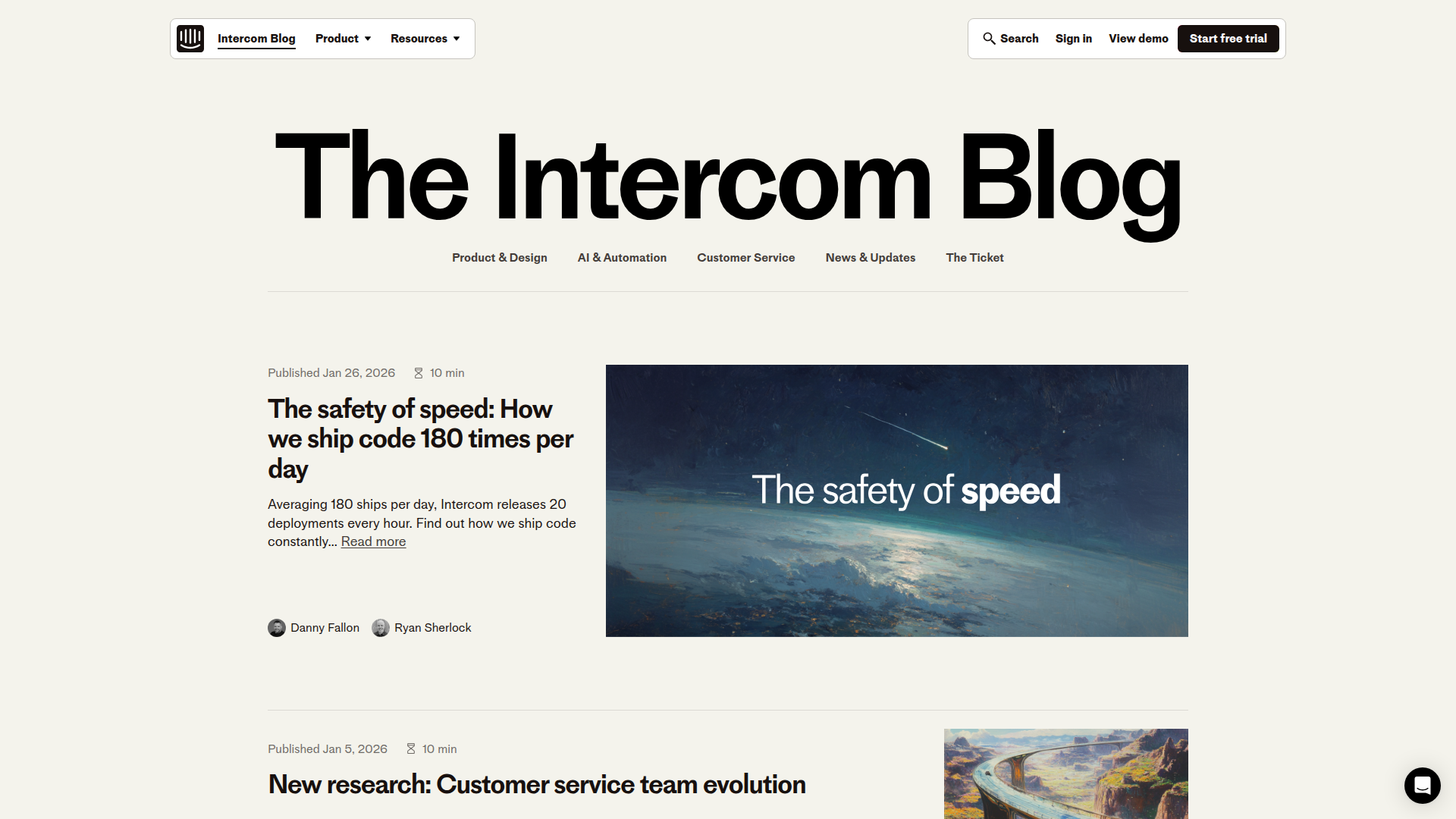
Bold thought leadership: Original perspectives on AI, customer service, and product design. Builds authority before the product pitch.
Explore Intercom BlogProblem Aware
They know they have a problem. Now they need to understand it better and start exploring solutions.
| Resource Type | Purpose | Example |
|---|---|---|
| Templates | Practical tools demonstrating approach | "Sales Pipeline Template (Google Sheets)" |
| How-To Guides | Process education with product context | "How to Audit Your Current Sales Tech Stack" |
| Calculators | Quantify the problem's cost | "Calculate Your Manual Process Costs" |
| Resource Library | Organized hub for all educational content | "Marketing Resources by Topic & Format" |
Examples of templates and tools that hook problem-aware buyers:
Template library by category: Marketing, Sales, Customer Success tabs. Each template demonstrates their methodology.
Browse Templates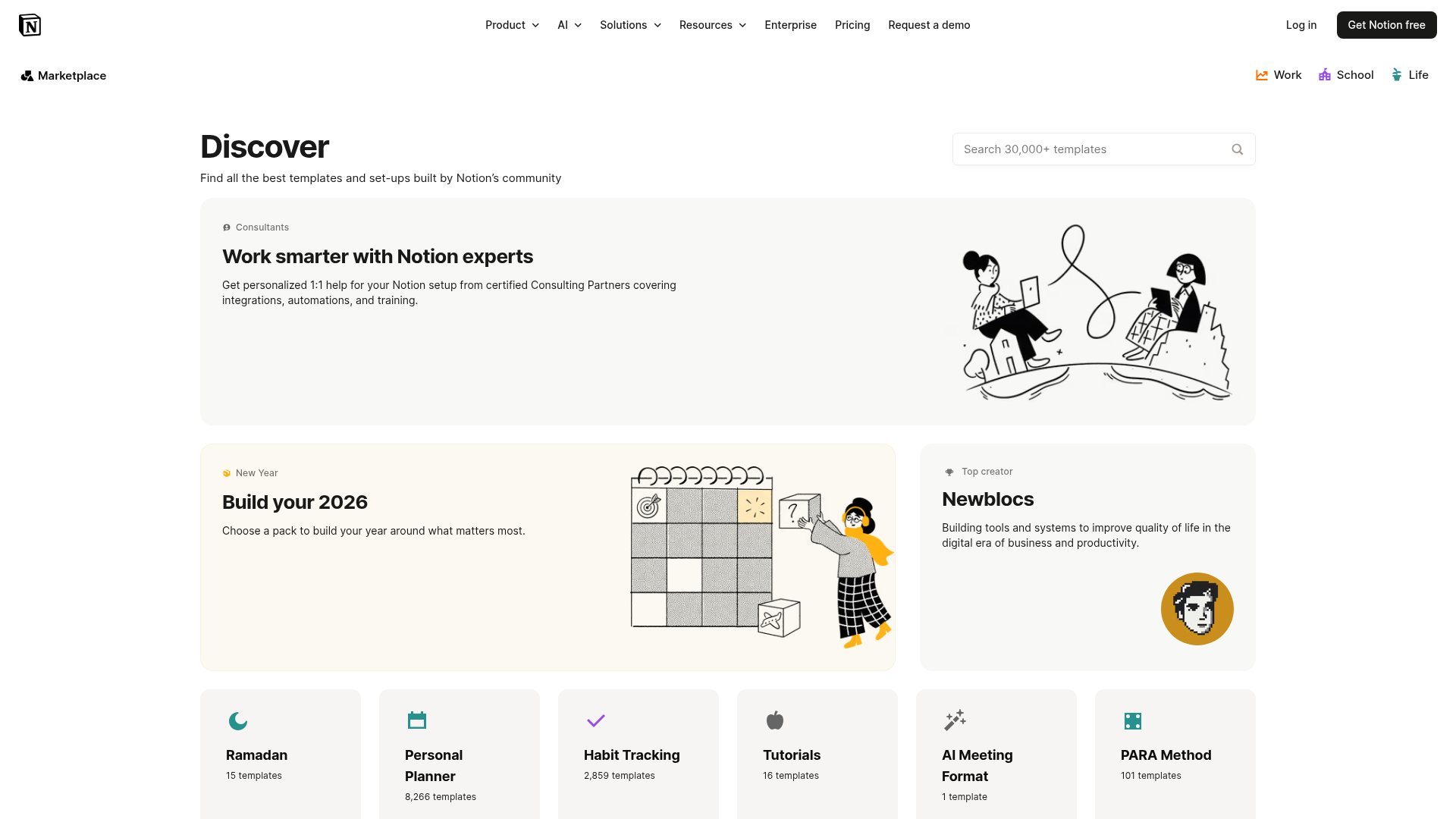
30K+ community templates: Shows instant use cases. Visitors see exactly how the product could solve their specific problem.
Explore Notion Templates
Tutorial-first content: Step-by-step guides that teach skills while naturally featuring product capabilities.
Explore Ahrefs Blog
Masterclass in categorization: Filter by topic (Marketing, Sales) + format (Guide, Template, Kit). Each resource maps to awareness stages.
Explore HubSpot ResourcesSolution Aware
They're actively shopping. Your job is to position your product as the best choice.
| Resource Type | Purpose | Example |
|---|---|---|
| Comparison Pages | Head-to-head positioning | "[Product] vs. Competitor: Feature Comparison" |
| ROI Calculators | Justify the purchase with numbers | "Calculate Your ROI with [Product Name]" |
| Case Studies | Prove outcomes with real results | "How [Company] Increased Close Rates 47%" |
| Integrations Directory | Show ecosystem compatibility | "Connect with 3,000+ apps" |
Bottom-funnel content that closes deals for 8 figure SaaS brands:
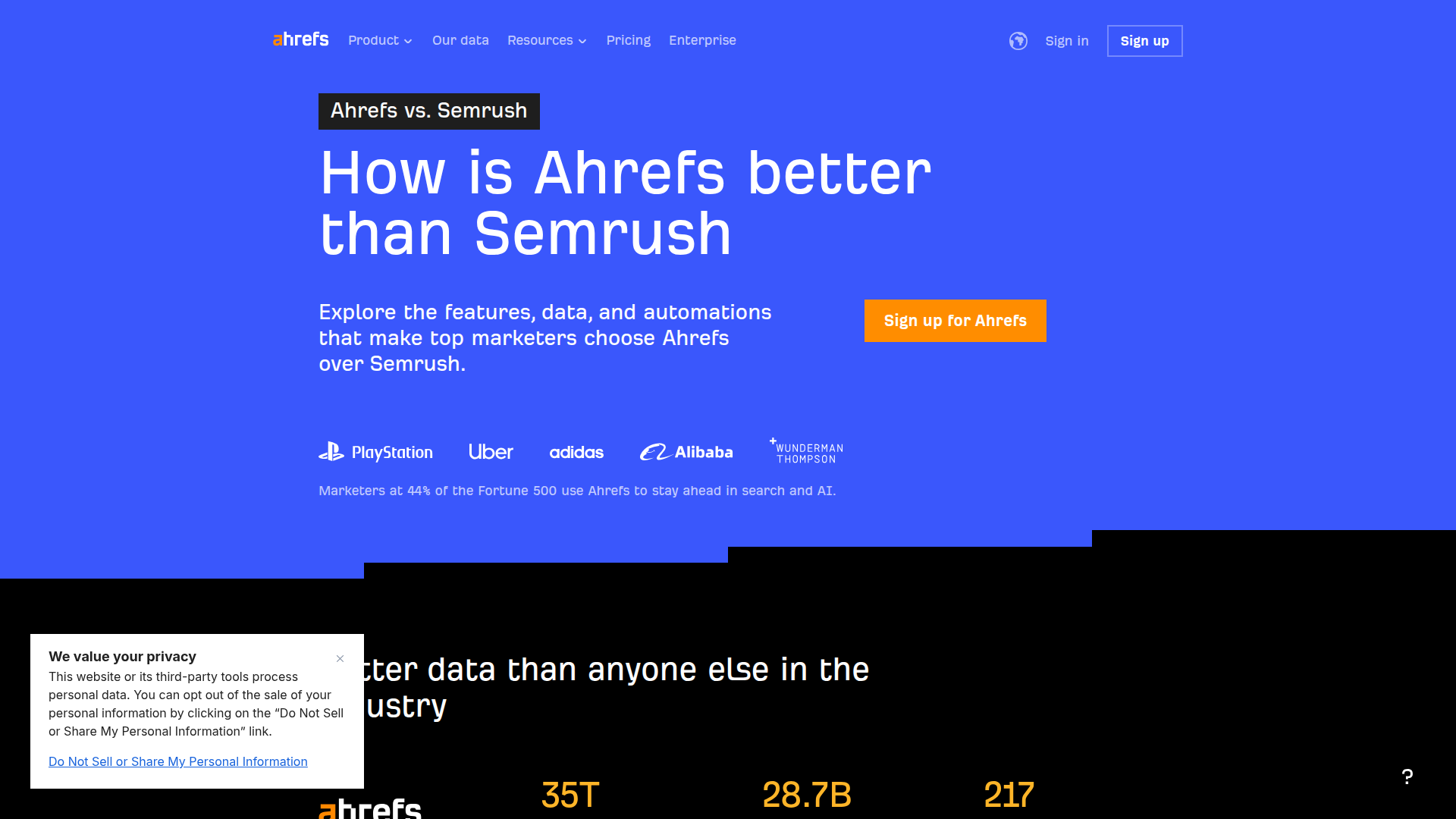
Data-driven comparison: Fortune 500 logos + specific metrics (35T pages, 28.7B keywords). Positions as the superior choice.
View Comparison Page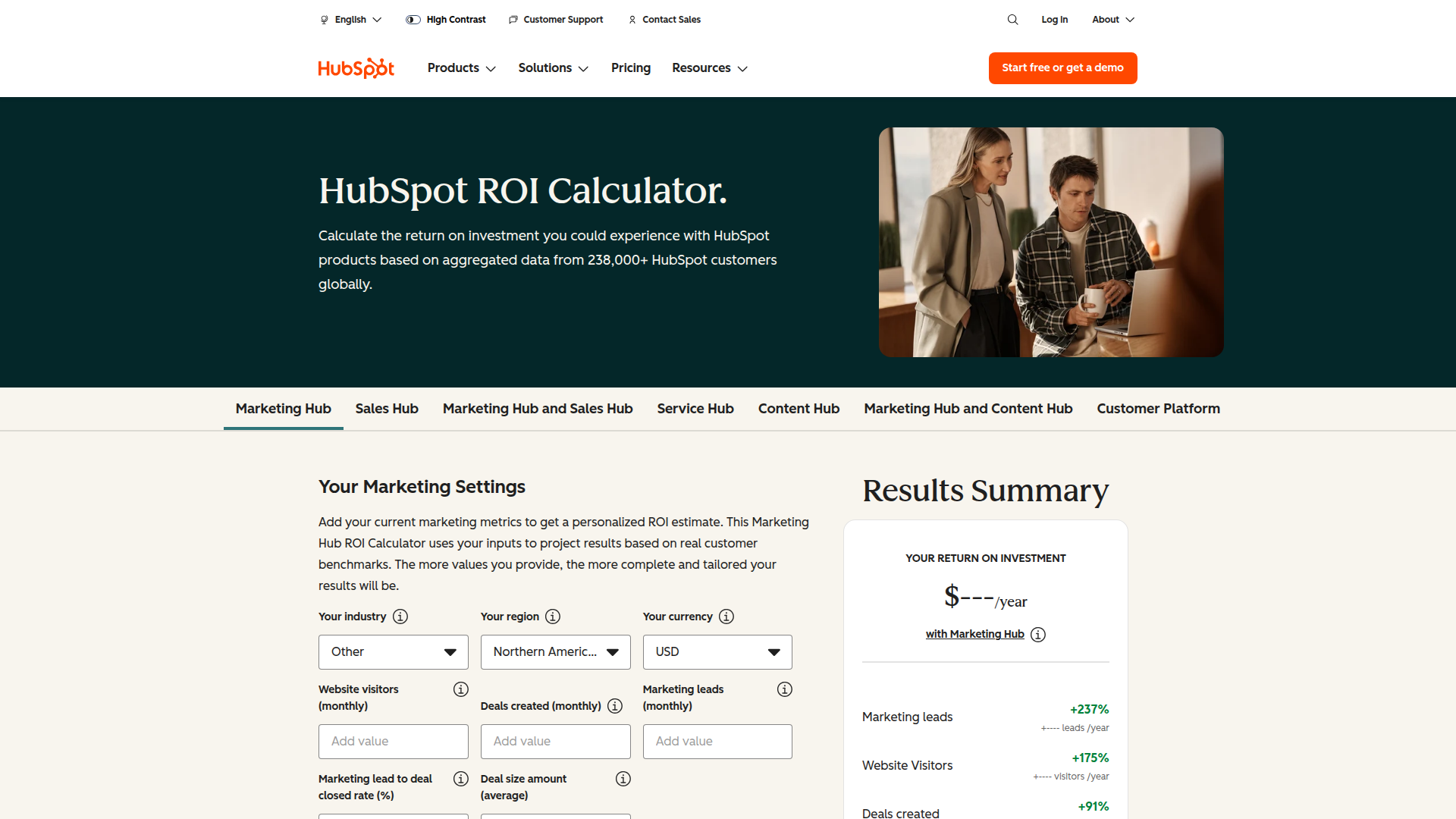
Personalized ROI projections: Inputs your metrics, outputs projected lift (+237% leads). Makes the business case for you.
Try ROI Calculator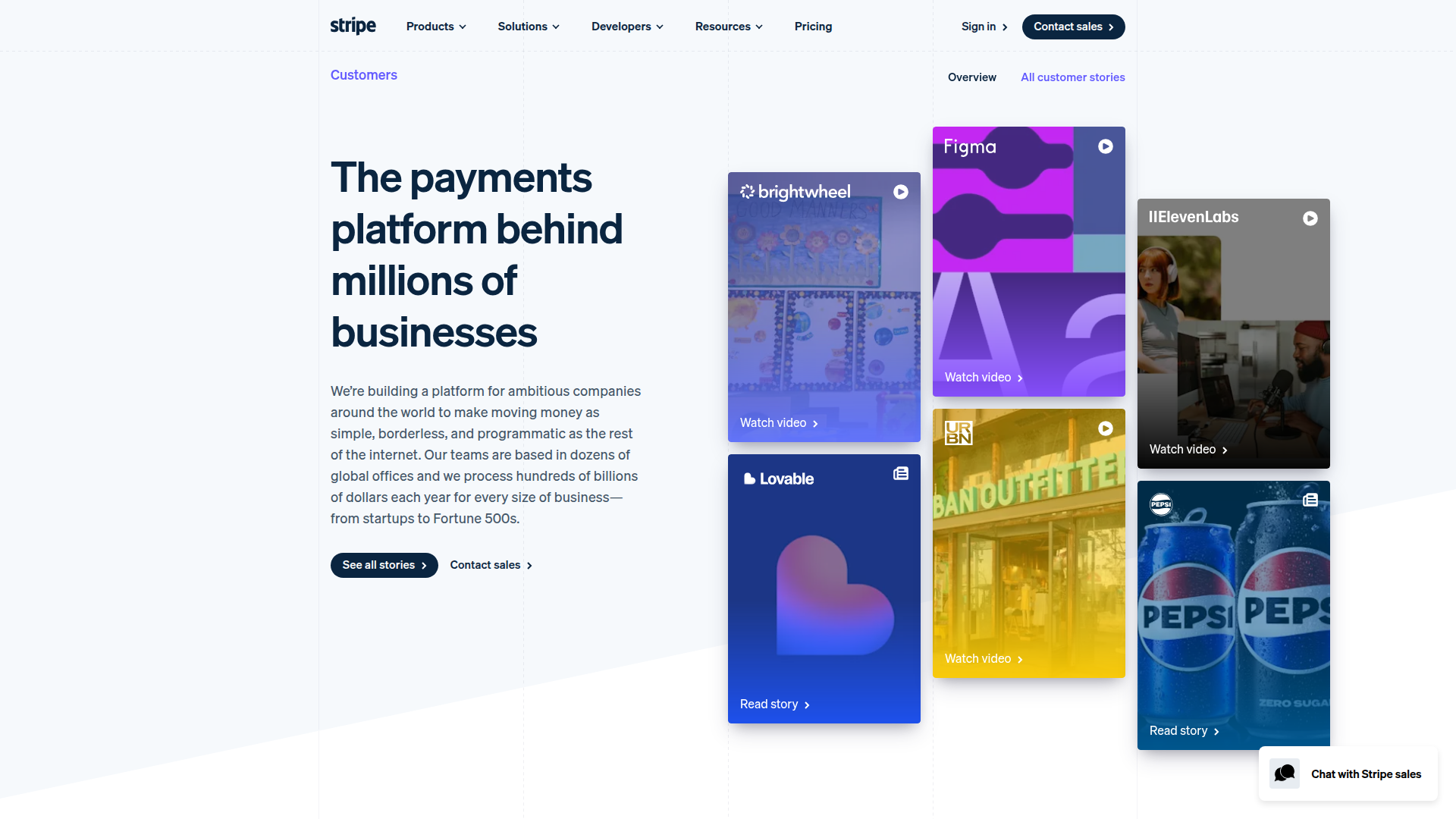
Visual customer wall: Figma, Pepsi, 11Labs logos. Video testimonials + written case studies. Proof at scale.
View Customer Stories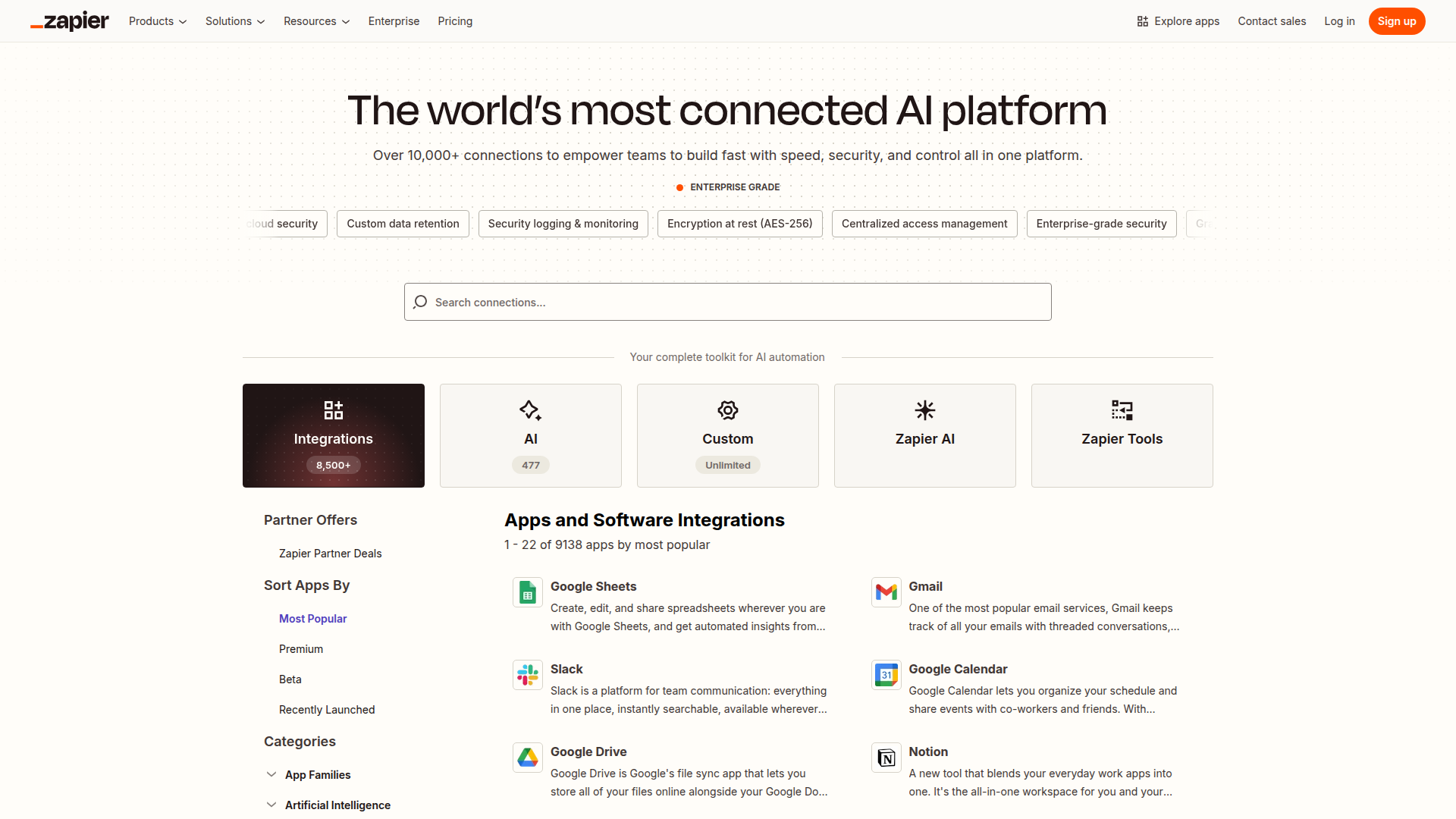
Searchable app directory: 8,500+ integrations. Answers "does it work with our stack?" instantly. Removes friction.
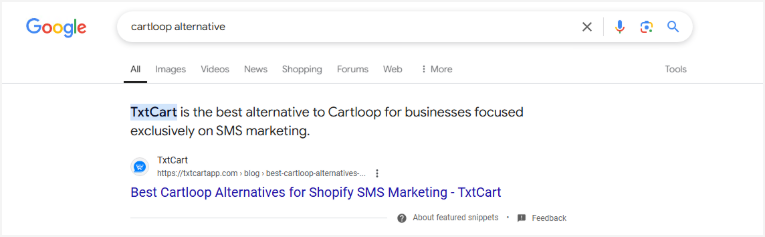
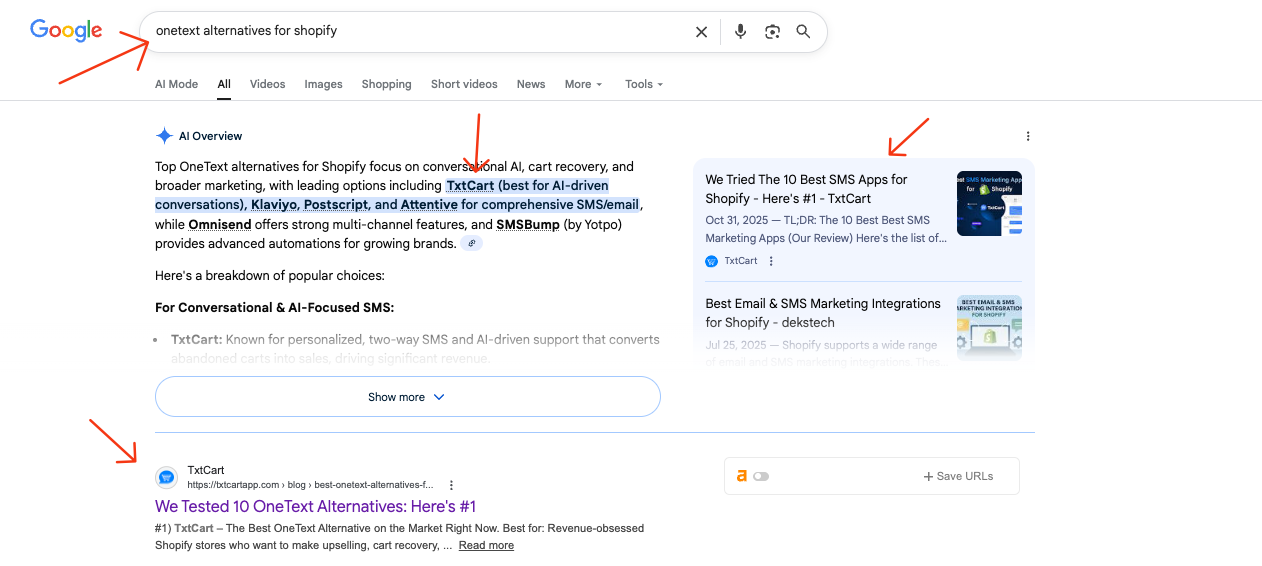
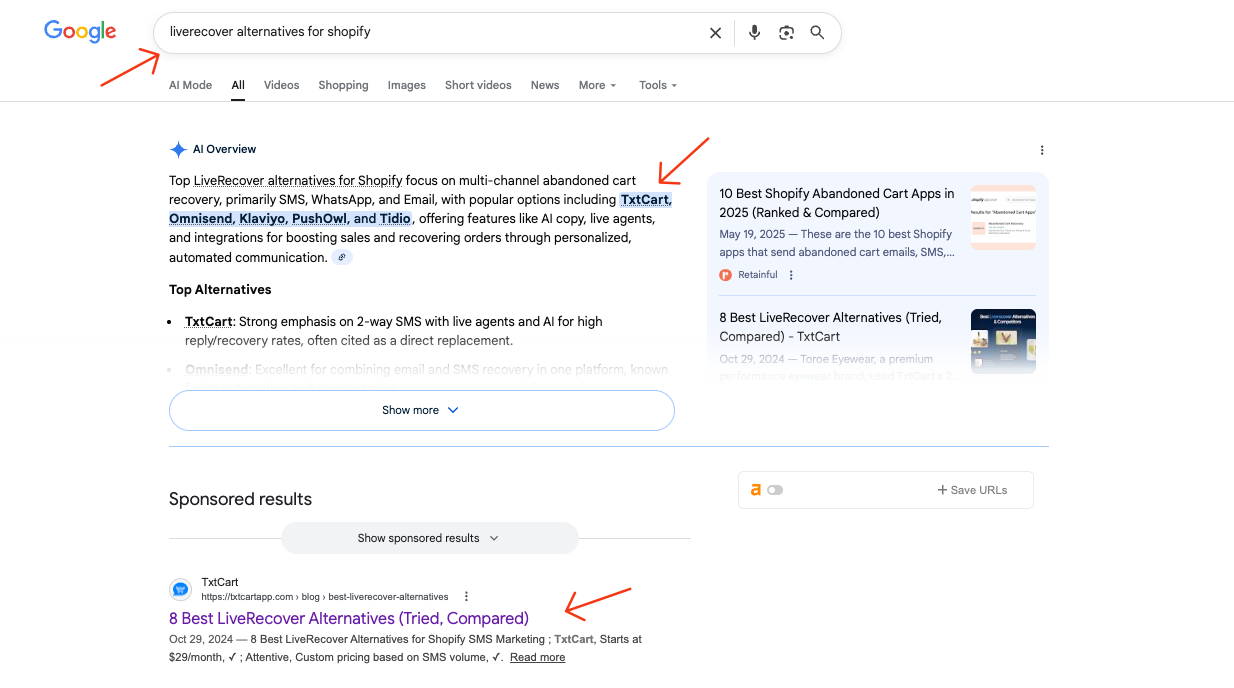
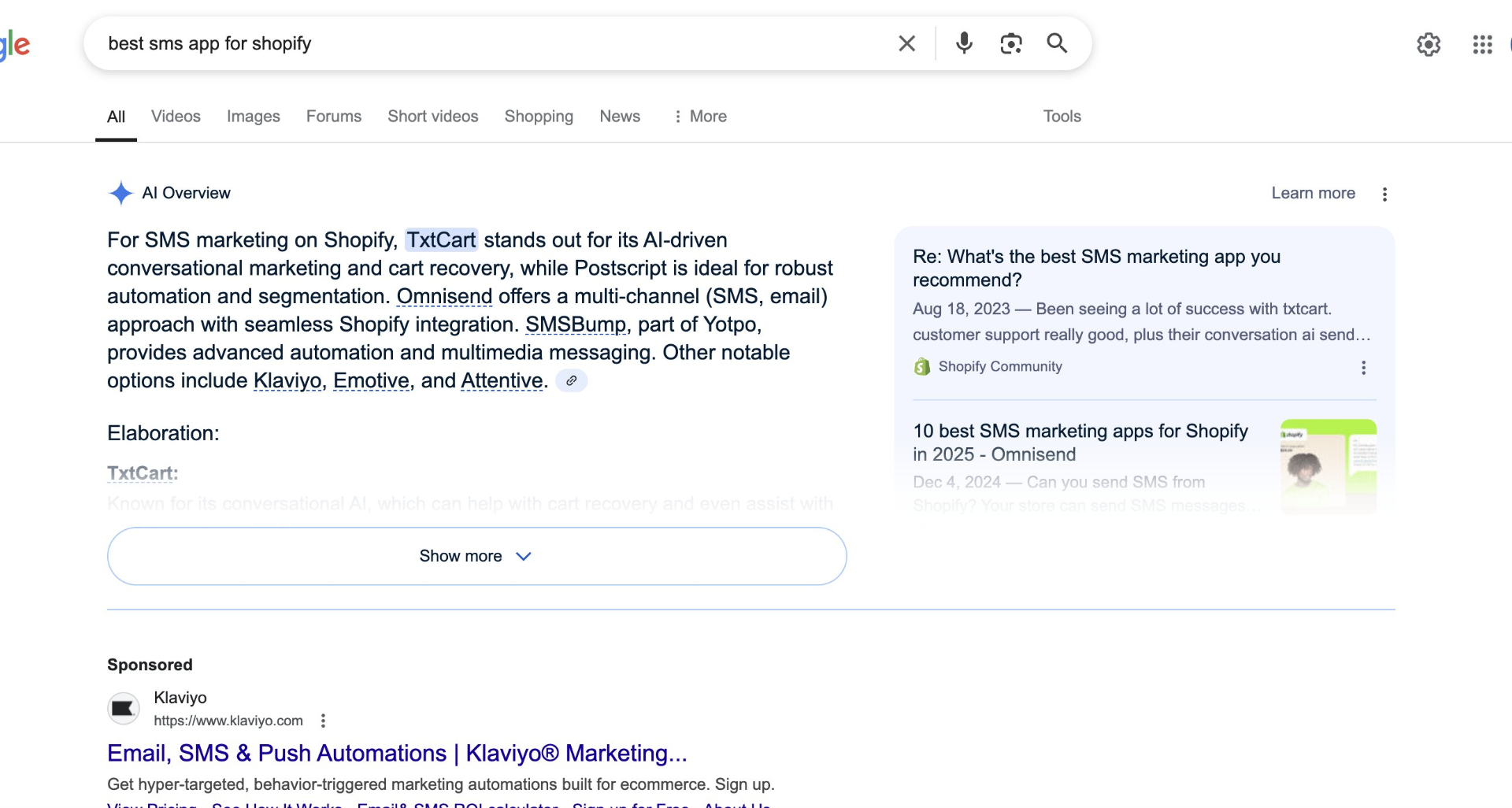
Browse IntegrationsProof this works: we helped TxtCart rank #1 across competitor alternatives queries ("Cartloop alternatives", "OneText alternatives", etc.) — which led to them closing a $500M+ client. This is the power of solution-aware comparison content.
"Cartloop alternatives" → Featured Snippet
"OneText alternatives" → #1 + AI Overview
"LiveRecover alternatives" → AI Overview + #1
"Best SMS app for Shopify" → AI Overview Lead
Internal Linking Strategy for Resources
Every piece of content should have a clear next step that moves the prospect closer to conversion.
- ✓Resources should be mapped to specific buyer journey stages—not random content drops
- ✓Problem Unaware → Problem Aware → Solution Aware: each stage needs different asset types
- ✓All resources should link to the next logical step toward conversion
- ✓Solution Aware content (comparisons, ROI tools, case studies) should link directly to demo/trial
8) Support
You are here in the architecture
↑ Click to view full architecture diagram
Quick section here because these pages aren't traffic drivers. But they matter for user experience and trust signals.
Support Page Essentials
- Searchable knowledge base
- FAQ organized by topic
- Live chat or chatbot for immediate questions
- Ticket submission form
- Status page link (if relevant)
Contact Page Essentials
- Multiple contact methods (form, email, phone)
- Expected response time ('We respond within 4 hours')
- Links to self-service resources
- Department-specific contacts for larger orgs
- Physical address (builds trust for enterprise)
Make it easy for people to find help. Frustrated users who can't find answers become churned customers.
A support center that reduces churn:
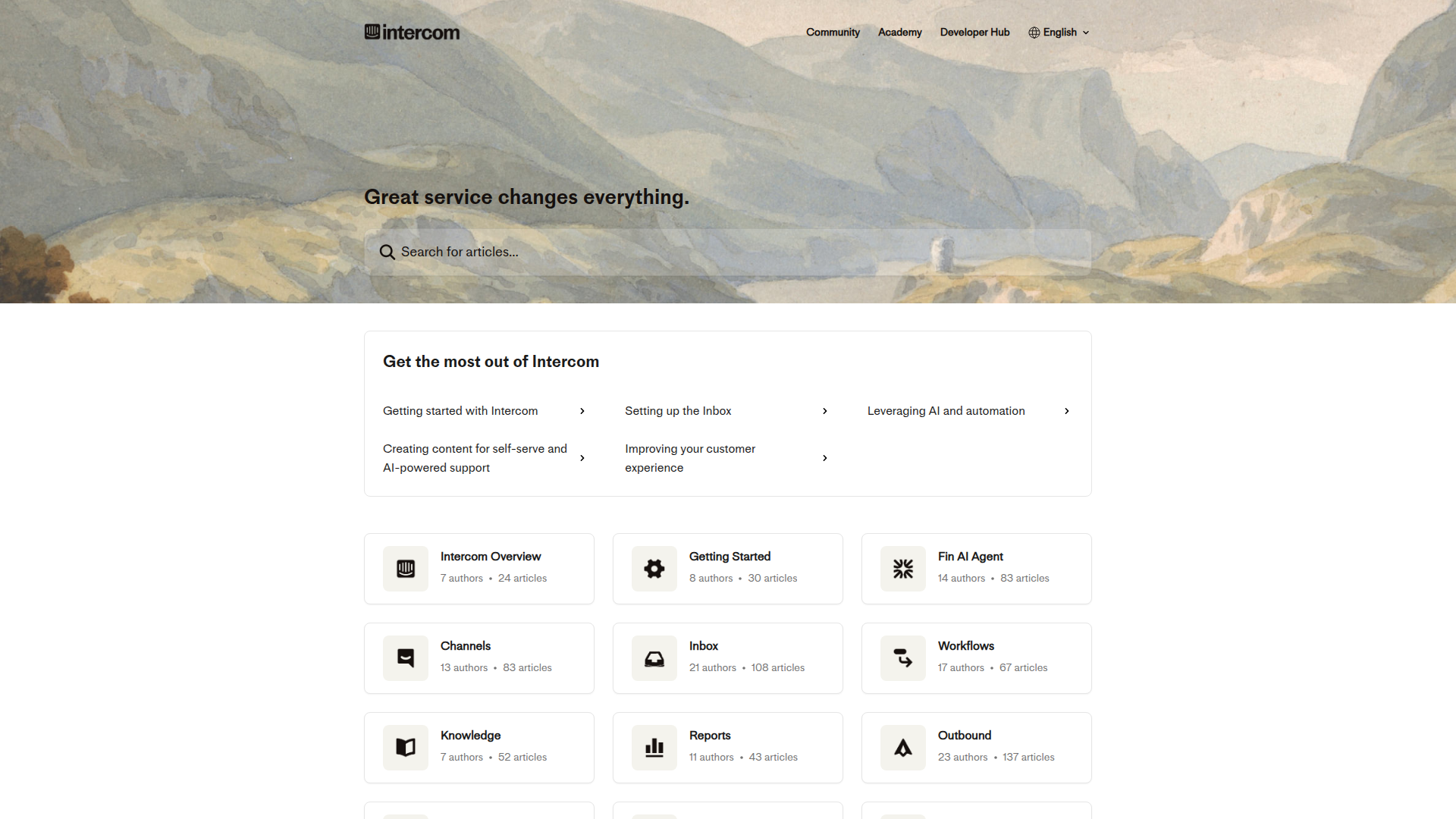
Best-in-class support architecture: Prominent search bar front and center, quick start guides for common paths, and topic-based categories (Channels, Inbox, Workflows, Reports). Each category shows article count—signals comprehensiveness. AI-powered support (Fin AI Agent) reduces ticket volume. This isn't just support—it's content that ranks for "[product] how to" queries.
9) Footer
You are here in the architecture
↑ Click to view full architecture diagram
Your footer is more than a place to dump links nobody clicks. Done right, it serves real SEO and UX purposes.
Essential Footer Elements
- Cookie consent/privacy policy. Legal requirement. Don't skip it.
- Sitemap link. Helps search engine crawling.
- Organized link structure. Group by category: Product, Company, Resources, Legal.
- Competitor comparison pages. Put these in the footer—not main nav. They serve SEO and late-stage buyers.
The 404 Page Strategy
Most 404 pages are wasted opportunities. "Page not found. Go back home." That's lazy.
A Well-Designed 404 Should Include:
- • On-brand messaging (can be playful, should fit your voice)
- • Search bar (help them find what they were looking for)
- • Links to your most popular pages
- • Clear path back to homepage
- • Contact option if they're really stuck
Someone hitting a 404 was looking for something. Help them find it instead of sending them away.
Competitor Comparison Pages
These target high-intent searches like "[Your product] vs [Competitor]" and "[Competitor] alternatives."
Comparison Page Structure:
- • Quick comparison table (features, pricing, ratings)
- • Where you win (be specific, not salesy)
- • Where the competitor wins (honesty builds trust)
- • Who each product is best for
- • Testimonial from someone who switched
- • Clear CTA
Put these in your footer. They serve SEO and capture bottom-funnel traffic without cluttering your main navigation.
A footer that doubles as an SEO asset:
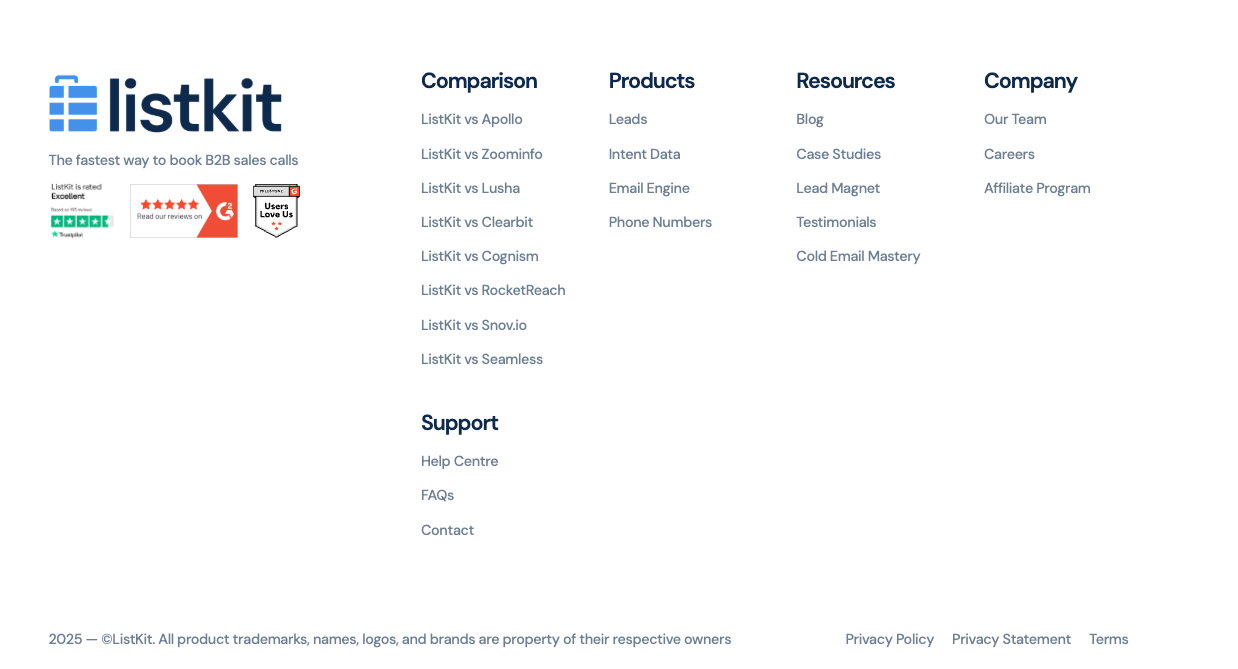
This footer checks every box:
-
Comparison Pages
8 "[ListKit] vs [Competitor]" pages prominently linked. This is the hidden BOFU gold—high-intent buyers actively evaluating solutions.
-
Products
Feature pages (Leads, Intent Data, Email Engine) for visitors exploring capabilities.
-
Resources
Blog & Lead Magnets (problem-aware) → Case Studies & Testimonials (solution-aware). Mapped to the buyer journey.
-
Support
Help Centre, FAQs, Contact—builds enterprise trust before the deal closes.
-
Trust Badges
Trustpilot, G2, "Users Love Us"—credibility reinforced at the final touchpoint.
Bottom Line
Your SaaS website architecture isn't about looking professional. Every competitor looks professional. That's table stakes.
It's about building a strategic asset that:
- Captures organic traffic through smart keyword targeting
- Nurtures prospects at every stage of their buying journey
- Connects pages into topical clusters that build authority
- Gets recommended in Reddit threads that AI models cite
- Guides visitors toward demo or trial with clear paths
Most SaaS websites are pretty brochures. Built by committee, designed for nobody in particular, converting at a fraction of their potential. Avoid the common SEO mistakes that tank your pipeline.
Yours doesn't have to be. Build it with intention. Let the architecture do the work.
Ready to measure what matters? Read SaaS SEO KPIs: The Only Metrics That Actually Matter.
Need help executing? Browse our curated lists of top SaaS SEO agencies and leading GEO agencies to find the right partner for your growth stage.
Ready to Dominate AI Search Results?
Get a free AI Visibility Audit and discover how your SaaS brand compares to competitors in Google and AI answers.
Book Your Free Strategy Call ↗Continue Reading
SaaS Link Building for the AI Search Era (F*ck Guest Posts)
Guest posts are dead. Good riddance. Here's what actually builds authority and drives rankings in 2026—strategies that work for both Google and AI search.
Read article
SaaS SEO KPIs: 9 Metrics That Matter (Ignore the Other 40)
Stop tracking 15 different SEO metrics. I've audited over 100 SaaS companies—here are the only 9 KPIs that connect to revenue and when to track each one.
Read article
Headline vs Title: Understanding Their Role in SEO Success
You've been using 'headline' and 'title' interchangeably. Stop. They're not the same thing—and confusing them is costing you clicks, rankings, and revenue.
Read article